
Add some color to your Confluence and youe Navigation Menus - quick & easy orientation.
How to access the configuration
Navigate to Settings → Menu.
That's it!
Adjust color settings
In the right corner of the configuration screen, find the settings button. Click on it to open a color configuration overlay.
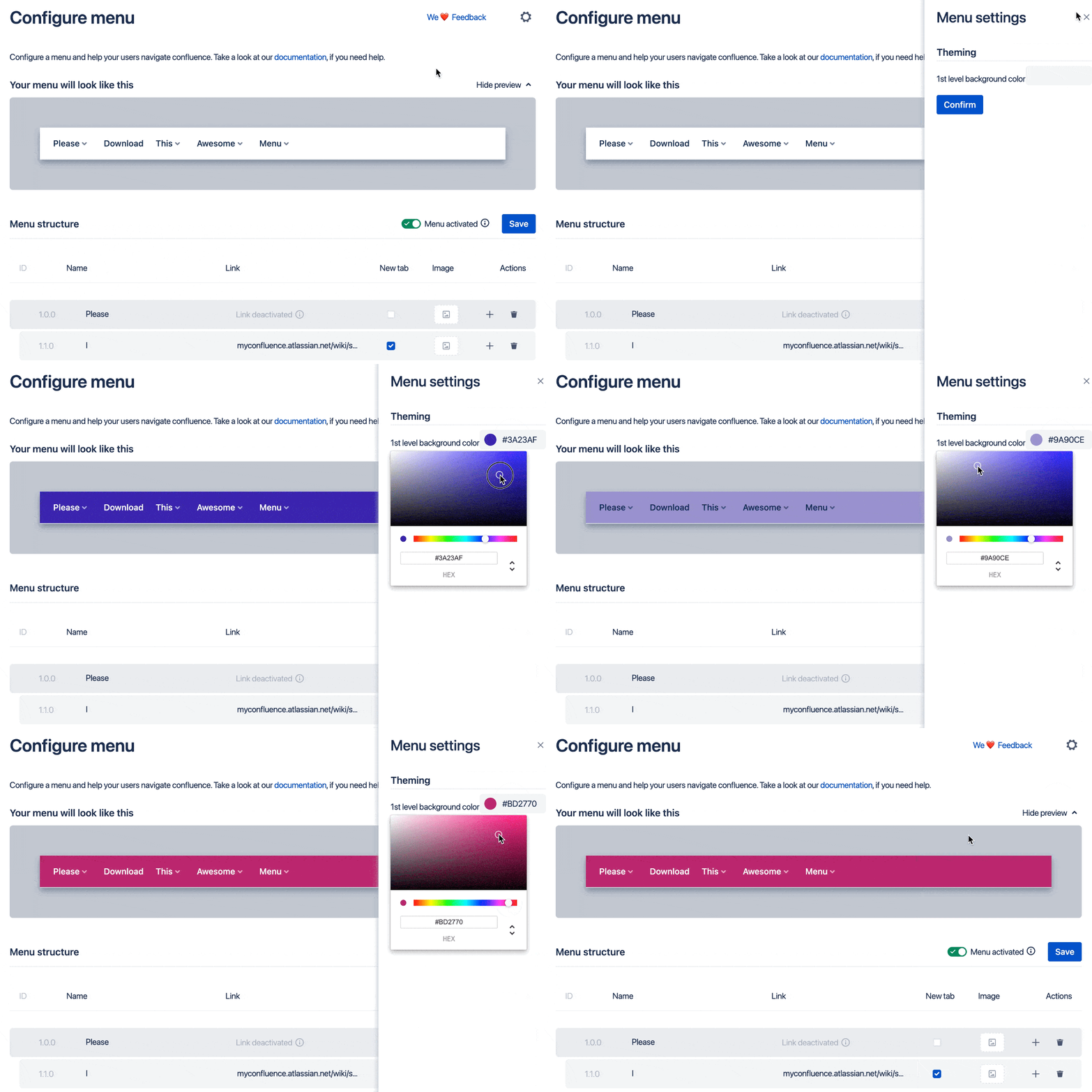
Click on the colored area to change the color. A color selection tool will open. Select your desired color and close the color picker again.
Don't forget to confirm your changes!