
Documentation's navigation
Related content
On this page
What is a dark feature?
Dark features are not part of our official support and represent beta features without any guarantee to work properly on all systems.
In most cases, we do not recommend using dark features. You should keep any dark feature off, unless //SEIBERT/MEDIA (e.g. our support team) explicitely advised you to activate it.
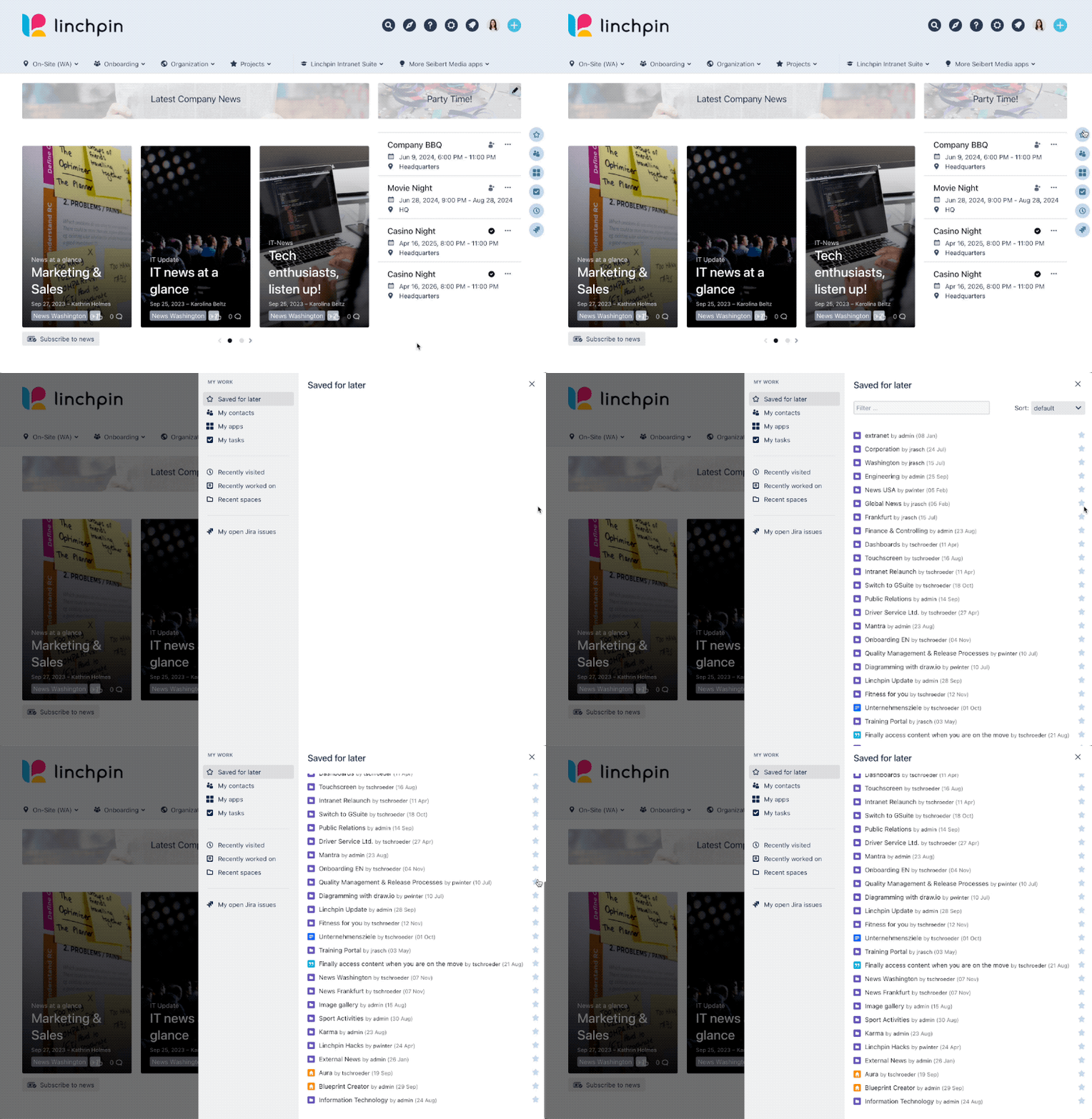
What is the pagination for the Linchpin Sidebar?
In the saved for later view in the Linchpin sidebar you can now disable the pagination by using a dark feature.
How do I disable the pagination for the linchpin sidebar?
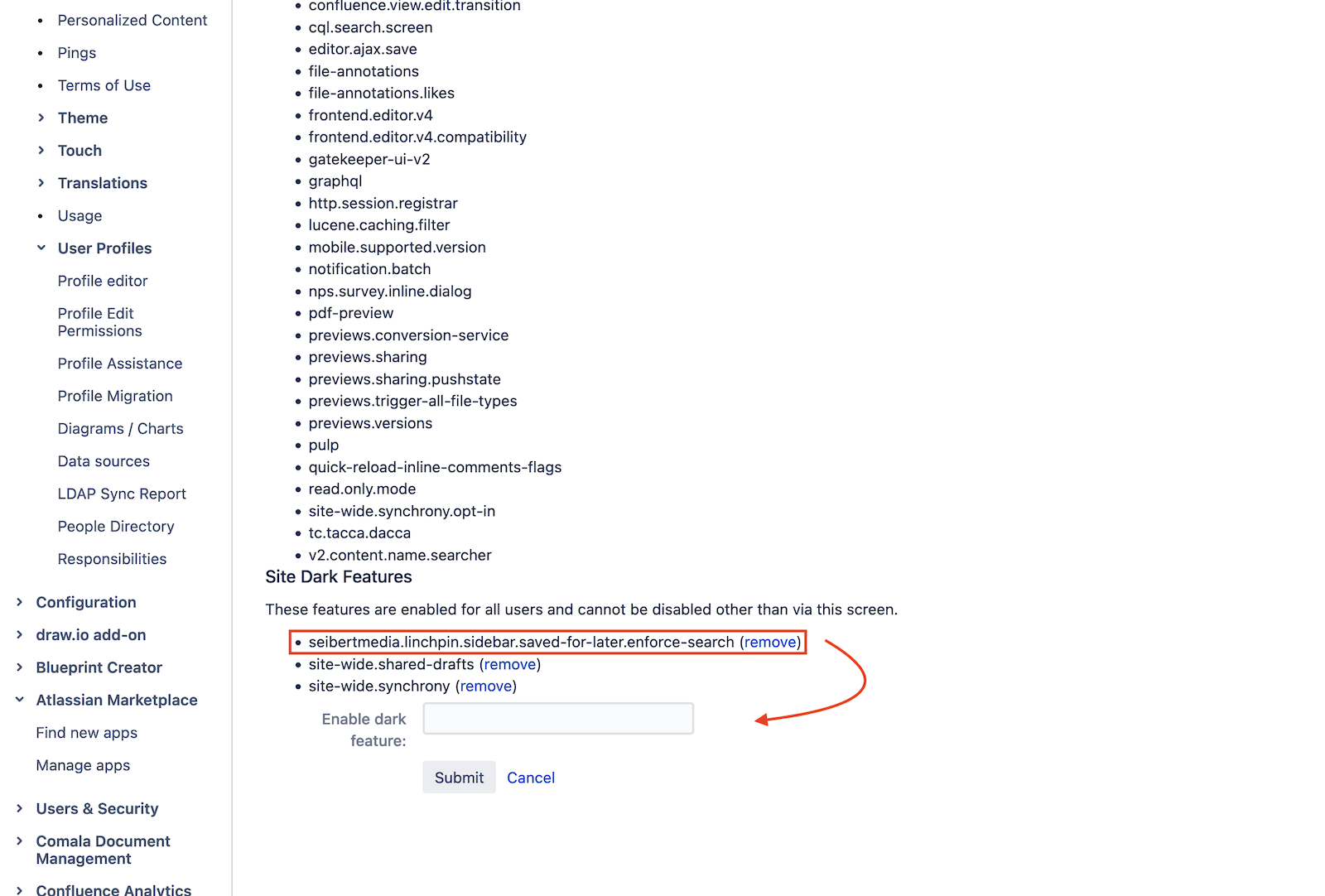
To disable the pagination within the saved for later module in the sidebar you need to activate the dark feature in Confluence.
To do so navigate to the hidden "Development Features" page through
your-intranet-url.com/admin/darkfeatures.action
On this page enter the following key:
seibertmedia.linchpin.sidebar.saved-for-later.enforce-search

☁️ Looking for a Cloud-based Intranet?
Check out Mantra, your go-to alternative to Linchpin in the Atlassian Cloud!
Mantra is your a comprehensive solution for connecting teams, making collaboration a breeze, and keeping your company's internal communication strong and streamlined - all in the cloud.