
Task management for teams
You should consider JIRA for that. There are Confluence Tasks built in (http://seibert.biz/confluencetasks) but it’s only for quick in-document notes and small tasks. Our customers often use them for meeting notes and next actions. For an enterprise ready team task management approach a solution like JIRA is necessary: Link to JIRA info
Offline document storage and editing

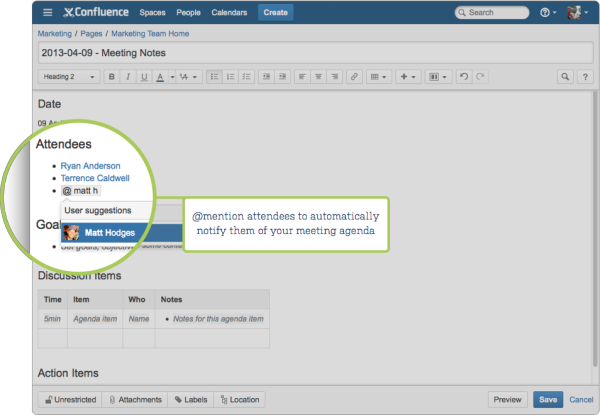
1.Crowd-source your meeting agenda
The best kind of meeting is the one every attendee is prepared for. That starts with sharing a clearly defined meeting agenda ahead of time. It’s easy to get everyone on the same page to contribute to the agenda using @mentions.
@mentions automatically notify attendees of the page through Confluence’s in-app notification center, WorkBox, so you don’t have to send an email to notify them. Confluence does all of the hard work for you.
2.Record meeting notes in one place
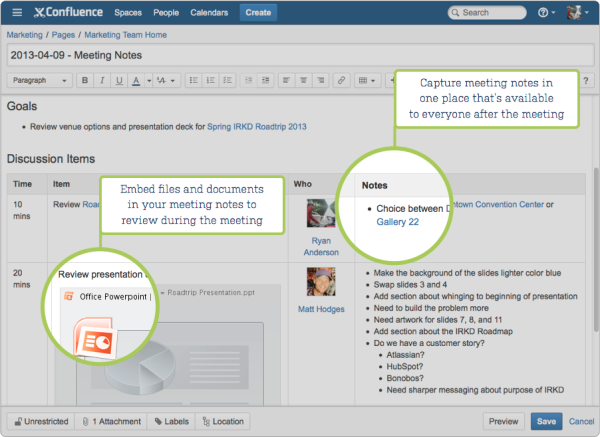
It’s important to record the discussions and decisions made throughout the course of a meeting. This helps attendees remember what occurred during the meeting and keeps other key stakeholders updated who weren’t able to join. By making these discussions available to everyone, your team can stay informed after the meeting.
3.Assign follow-up action items
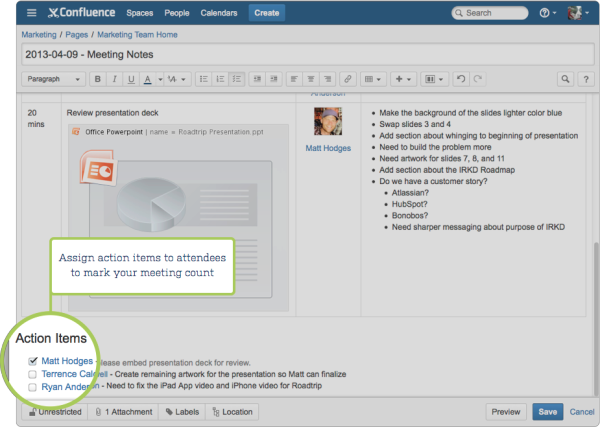
An effective meeting is one that acts as a launching pad for more work following the meeting. Too many meetings fizzle due to a lack of action items. Confluence Tasks are perfect for kick-starting activity after a meeting. It’s easy for the meeting attendees to track the work that needs to get done and by whom, and when tasks are completed every attendee is automatically notified.
4.Find all your meeting notes in one place
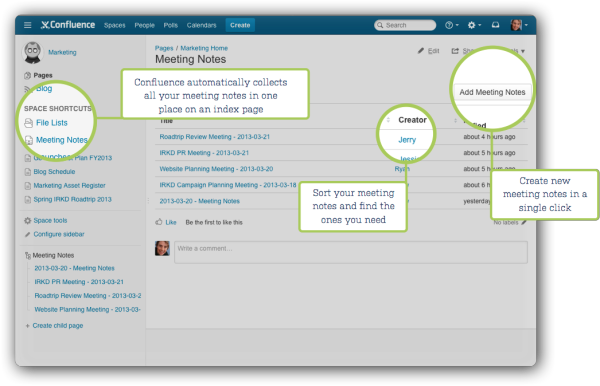
When you use the Meeting Notes blueprint, Confluence automatically organizes all your meeting notes in one place, accessible from the Space Sidebar, so teammates can quickly find them later. Gone are the days of wasting time searching your email inbox and shared network drives.
Each user should be able to create new project rooms (more)
Standard feature in Confluence: http://seibert.biz/creatingspacesinconfluence
There's no limit to the number of Spaces you can create on Confluence. You can choose to set up a space for each team, project, or a mix of both depending on your needs.
Each space in Confluence functions autonomously, which means that each space:
Has its own homepage, blog, pages, comments, files, and RSS feeds.
Can be customized with different color schemes, logo and sidebar.
Has its own set of permissions, as set by the space admin.
For example, an IT team can create one overarching space with all their roadmaps, details of sub-teams, and a list of all the people and roles within that team. They could then create a new space for each sub-team, such as Quality Assurance, Developers, and Documentation, with guidelines, long term plans, and knowledge articles within them. Each project that these teams work on could also have its own space, which could be linked to the team spaces using labels.
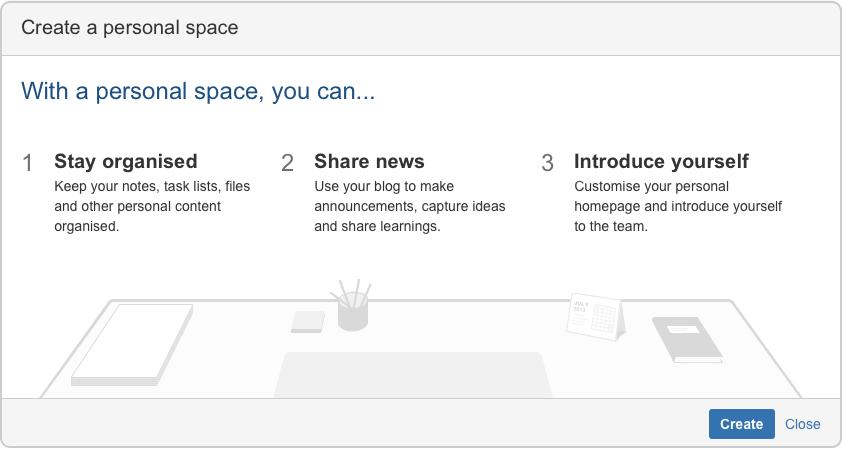
Create a personal space
Your personal space is always owned by you, and you can use it to store your individual work, keep track of tasks, blog about what you've been working on, or just use it to polish your pages before you move them into a site space.
On this page:
Related pages:
Choose your profile picture at top right of the screen, then choose Add Personal Space..
Choose Create.
You can change the permissions for your space at any time to determine who can and can't access the content. So if you want it to be a private sanctuary, that's no problem.
To create a personal space you need the 'Personal Space' global permission.
Create a site space
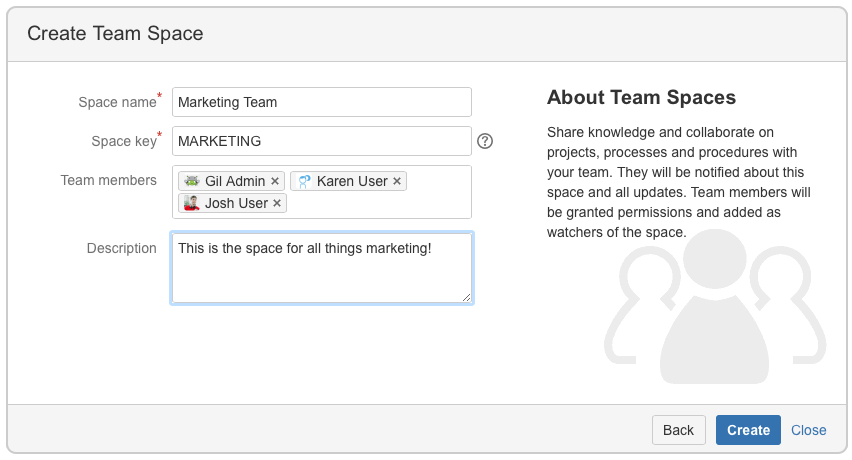
You can create a site space for any team or project that would benefit from having a place where people can work together and store related files. You can create these as blank spaces, or use templates, called space blueprints , to help you create Team spaces, Knowledge Bases spaces, or Documentation spaces quickly and easily.
Hit Spaces > Create space in the header.
Pick a type of space.
Enter the required details and create your space.
Choose your space key carefully as you can't change this later.
Each space you create will automatically have a homepage that you can customize to display relevant information for people viewing the space. If you use a space blueprint when creating a space, it will customize your home page for you.
To create a site space you need the 'Create Space' global permission.
Export of the intranet calendar into personal outlook
This is a standard feature of Confluence Team Calendars: http://seibert.biz/teamcalendarsandoutlook
Subscribe to Team Calendars from Microsoft Outlook
Outlook Support
Subscribing to Team Calendars from Microsoft Outlook has been tested and works with Outlook 2010. If you've had success in other versions of Outlook, feel free to comment on this page.
Subscribe to a Team Calendar from Microsoft Outlook
In Confluence:Choose
 to the right of the calendar name, then choose Subscribe
Copy the calendar address
In Outlook:
Choose Calendar at the bottom left of the app
Choose Open Calendar > From Internet in the ribbon
Paste the calendar address and choose OK
Depending on your authentication setup in Confluence, you may be prompted to enter your Confluence username and password.