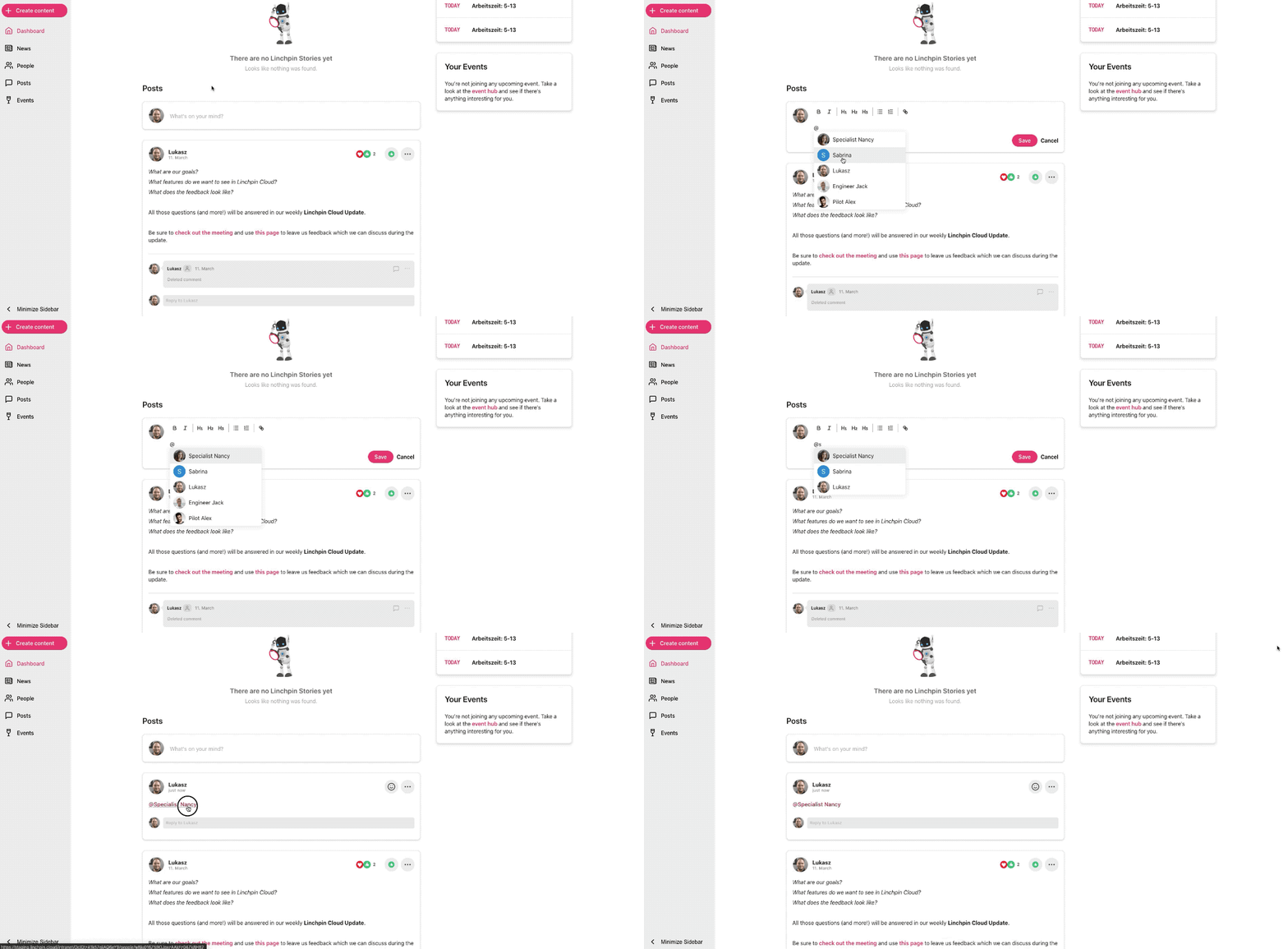
How do mentions work?
Mentions were introduced in Linchpin Hey 2.10 and allow you to... mention other users. Yay!
To mention others, enter their @name (at+name) in the text input area of posts, news or comments.
Users who were mentioned will receive a notification about it, including a link to view the mention.
The mention itself will become a clickable link which will open the profile of the mentioned user.
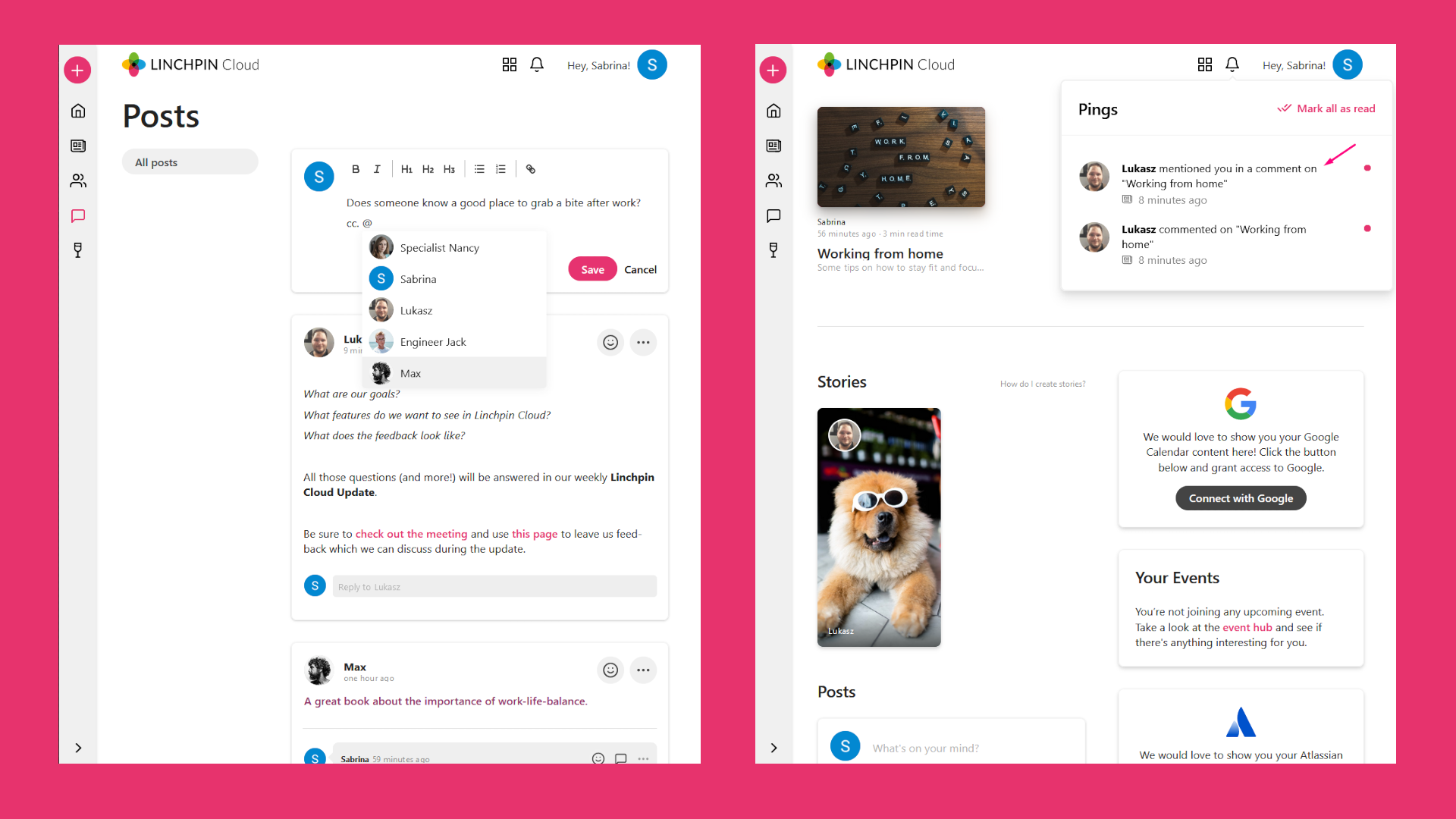
The mentions functionality offers an integrated user selection tool which appears right after you have typed in the @-sign into a supported text editor.
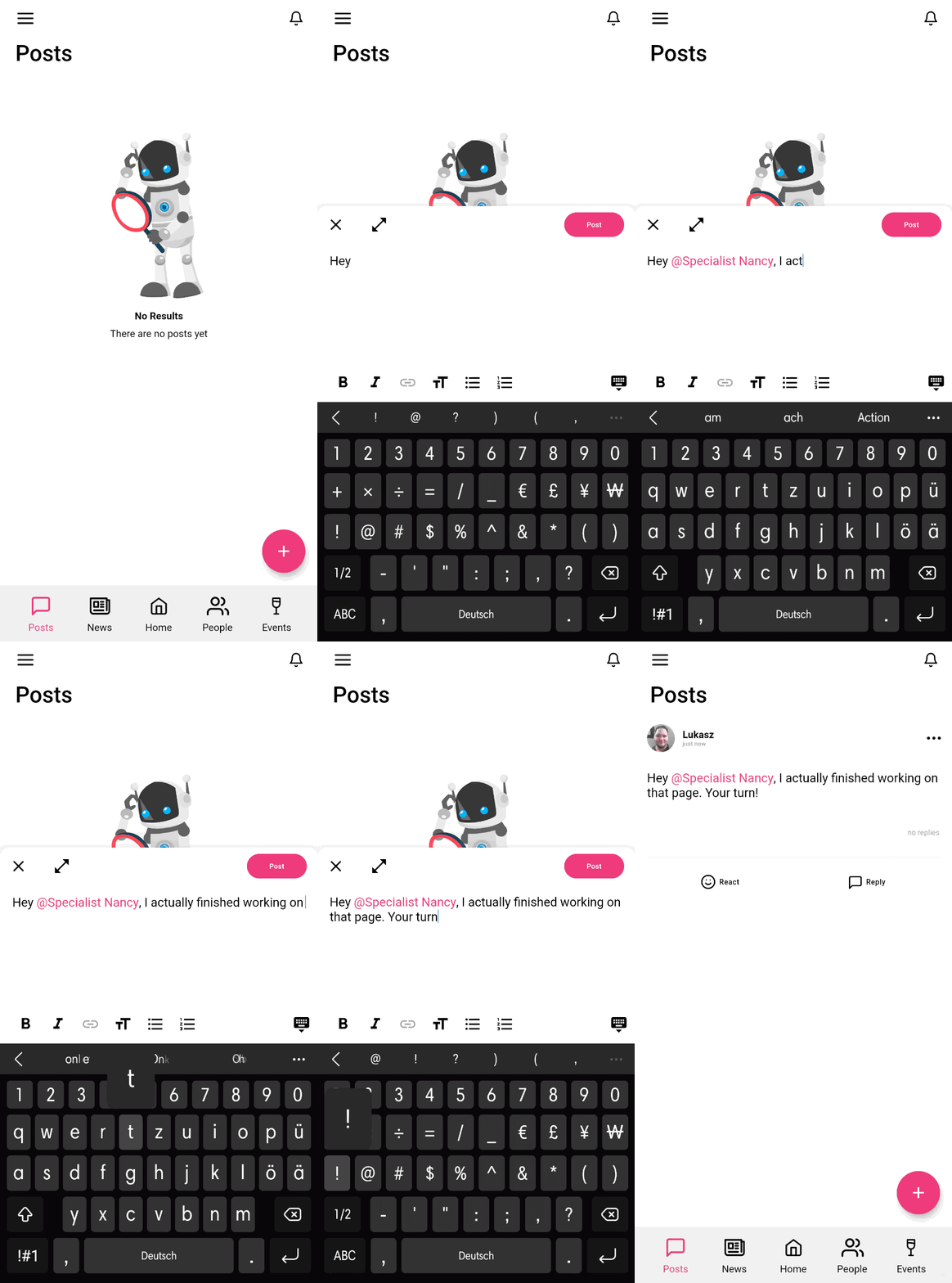
Using mentions can be as simple a typing in the @-sign and clicking on the card of the user you are looking for. If a user you are looking for is not included in the user selection tool, enter their name. With every new letter you enter the selection tool becomes more precise.