

Get started quickly with the Linchpin Hey app
For Android and iOS
Hey and welcome to Linchpin Hey! With the help of this step-by-step guide, I want to explain how you can quickly and easily get started with Linchpin Hey and access your company's workspace (intranet). If you follow the steps described here, the process should take less than 5 minutes.
Get your free trial
So let's go!
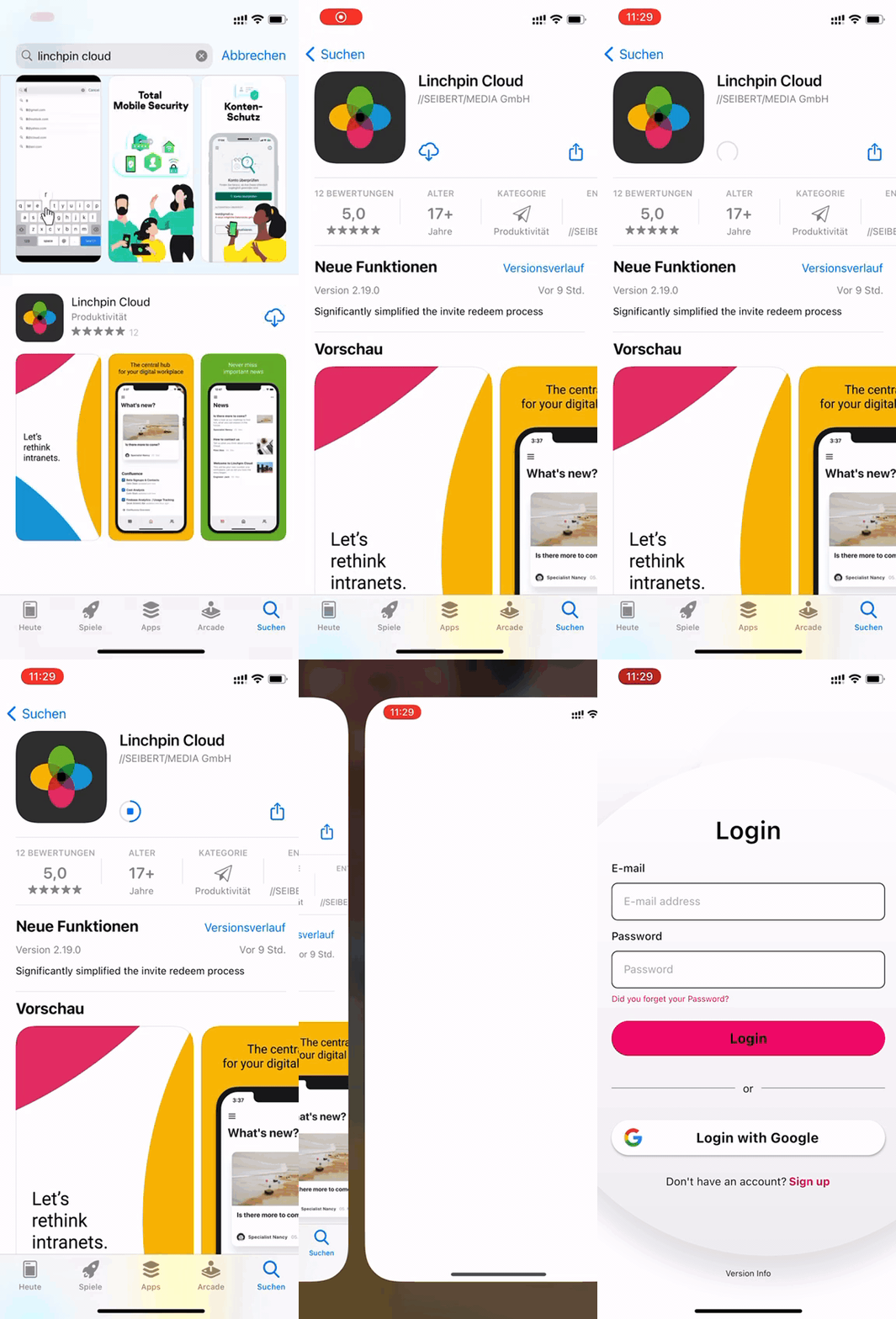
Step 1
Install the app on your phone
: 300px;" role="seperator">


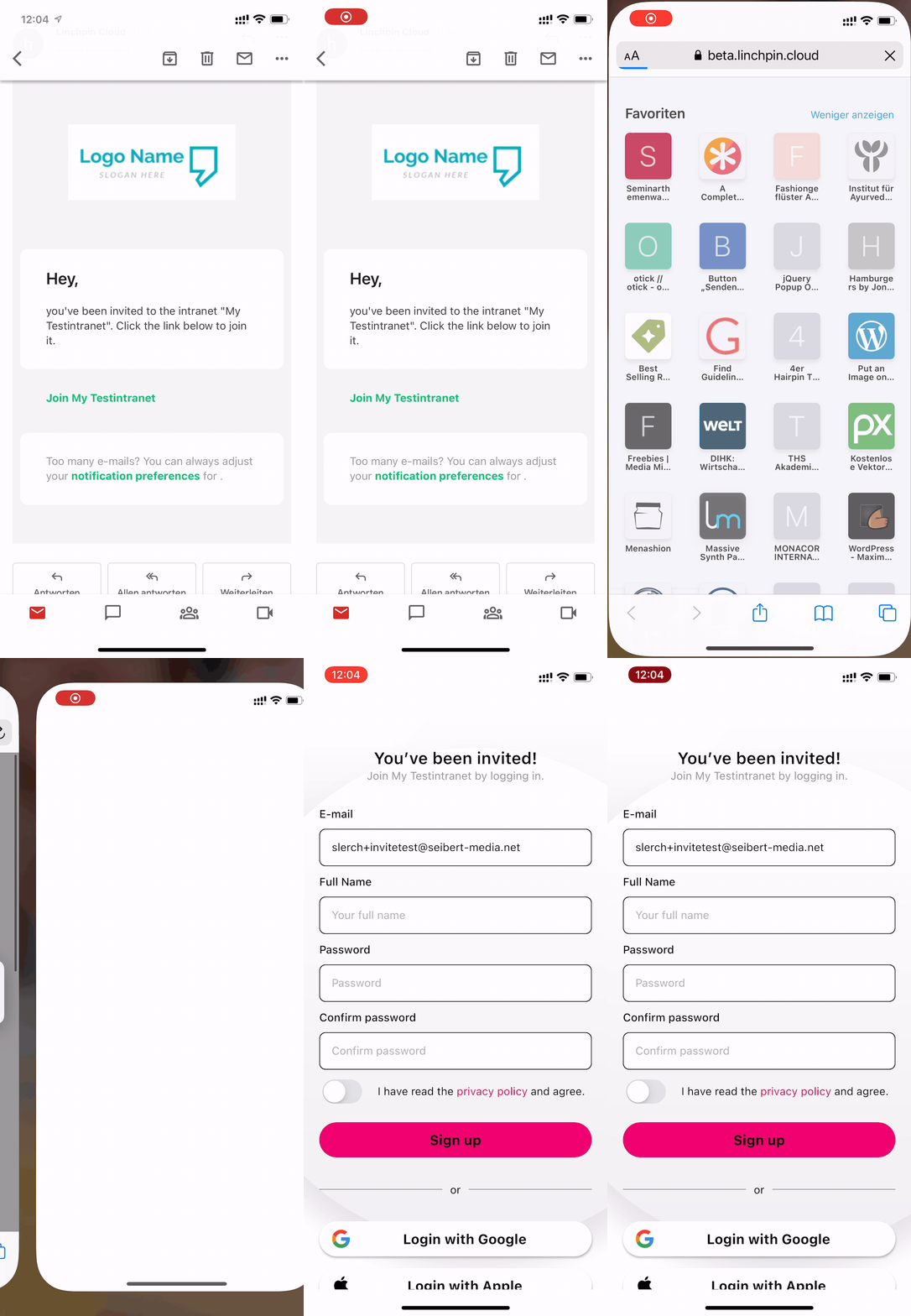
Step 2
Open Invite link from the email
: 300px;" role="seperator">
Click on the link to your workspace in the email with the subject "Linchpin Cloud: You have been invited to join My Intranet".
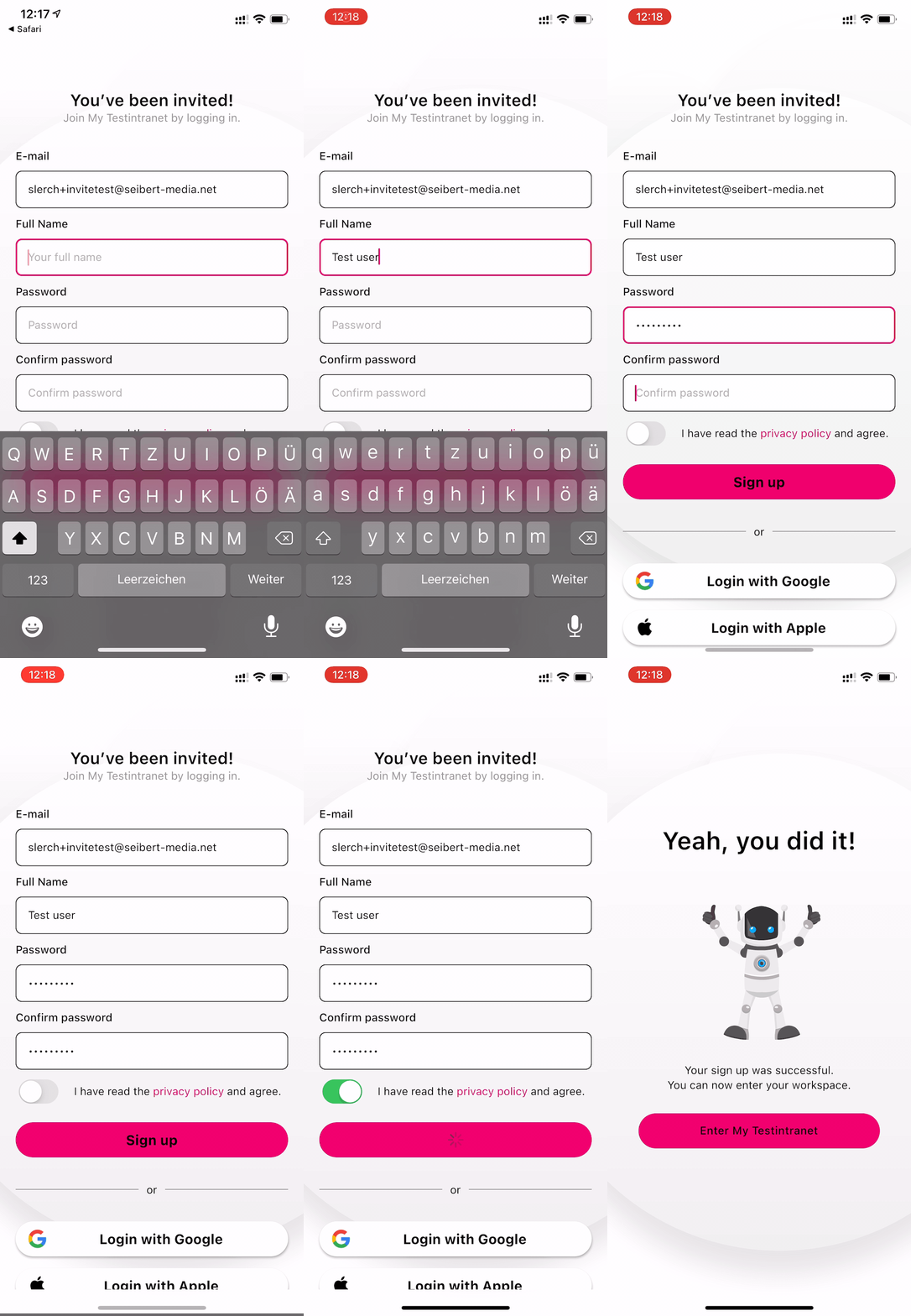
Step 3
Sign up for Linchpin Hey
: 300px;" role="seperator">
Fill in the fields "Full Name", "Password" and "Confirm Password", confirm that you agree to Linchpin Hey's privacy policy and click SignUp. The success message will tell you that your workspace is just one click away.
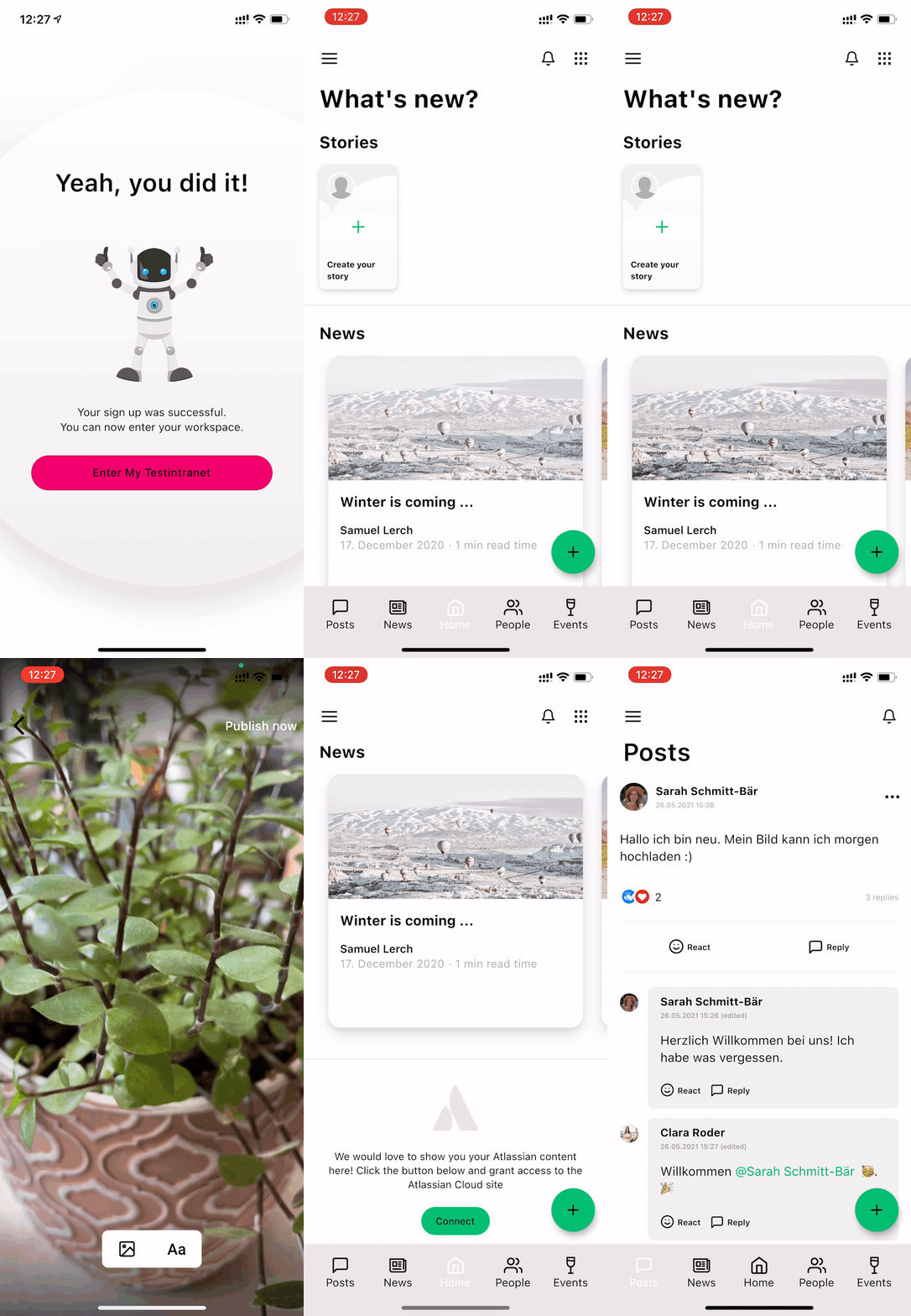
Step 4
Done - now you're ready to go with Linchpin Hey in your company!
: 300px;" role="seperator">