
Problem
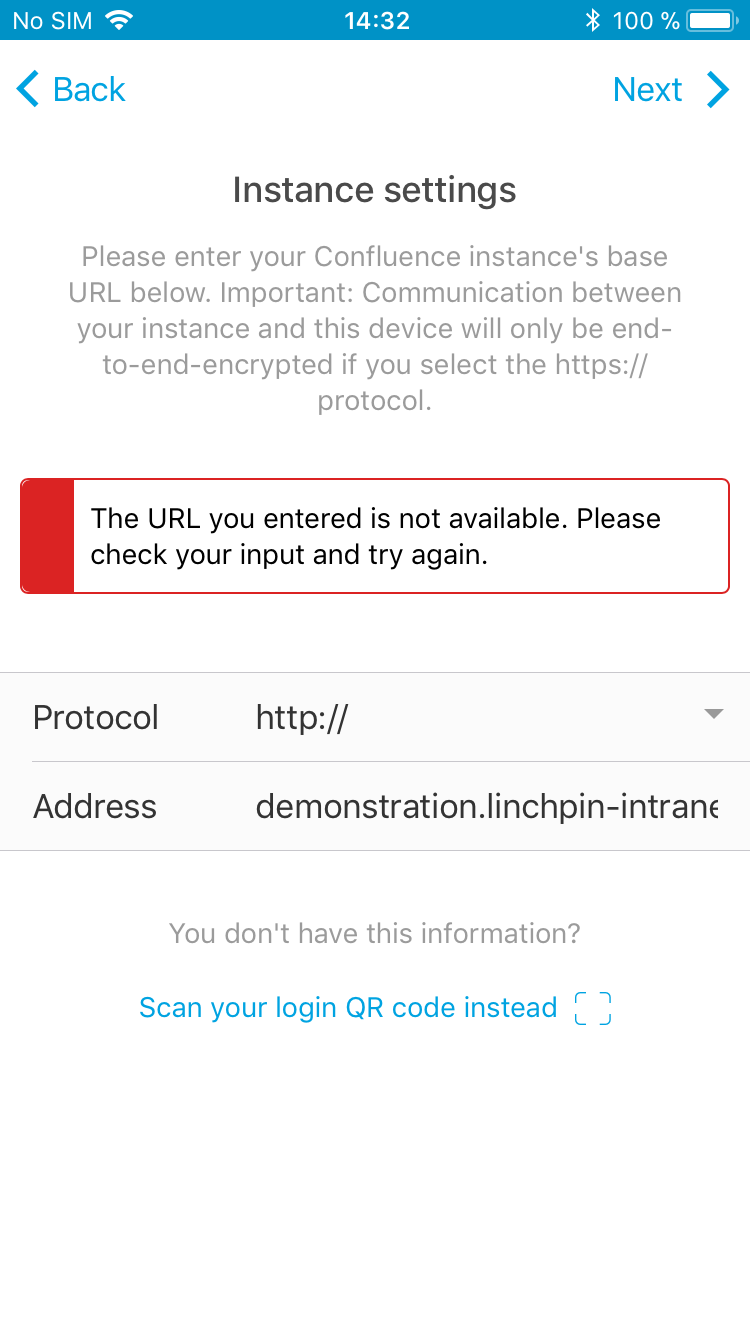
The Linchpin Mobile app on a user's mobile device throws the following error when adding a new login after the user entered the Confluence instance's protocol and URL:
Cause
This error appears when Linchpin Mobile cannot reach a Confluence system at the provided URL via the provided protocol. There are several causes for this:
- The Confluence instance the user is trying to reach uses a protocol other than the provided one (HTTPS / HTTP).
- The URL entered is not correct.
- The Confluence instance is running behind a firewall and there is no VPN connection active on the mobile device.
- The Confluence instance is currently down or not available for other reasons, e.g. maintenance.
Resolution
Depending on the potential cause of this issue try the following options:
- Check that the selected protocol matches the Confluence instance's base URL settings.
- Make sure the URL entered is spelled correctly and matches the Confluence instance's base URL (including the context path if necessary, e.g.
mydepartment.mycompany.com/confluence). - Make sure the mobile device is connected to the company's VPN if the Confluence instance is running behind a firewall.
Article navigation
Related
Still need help?
If this solution doesn't work for you feel free to contact us via email or get in touch with us here.