

Linchpin User Profiles - Documentation
Create a meaningful and up to date profile
See the documentation for your Release
The content of user fields extends the information about your users and also controls many functions of other linchpin plugins.
If you activate the new Profile Completion Assistant, whenever a user has not filled out all fields marked as required, a dialog will appear where these fields have to be filled. Thus, you can ensure that all users' profiles have data for the fields that are most important to you or which are needed for your Confluence to function correctly, for example when landing pages are based on these fields. Users are allowed to close the dialog without filling out the required fields, but it will reappear on each page load until the user's profile has been completed.
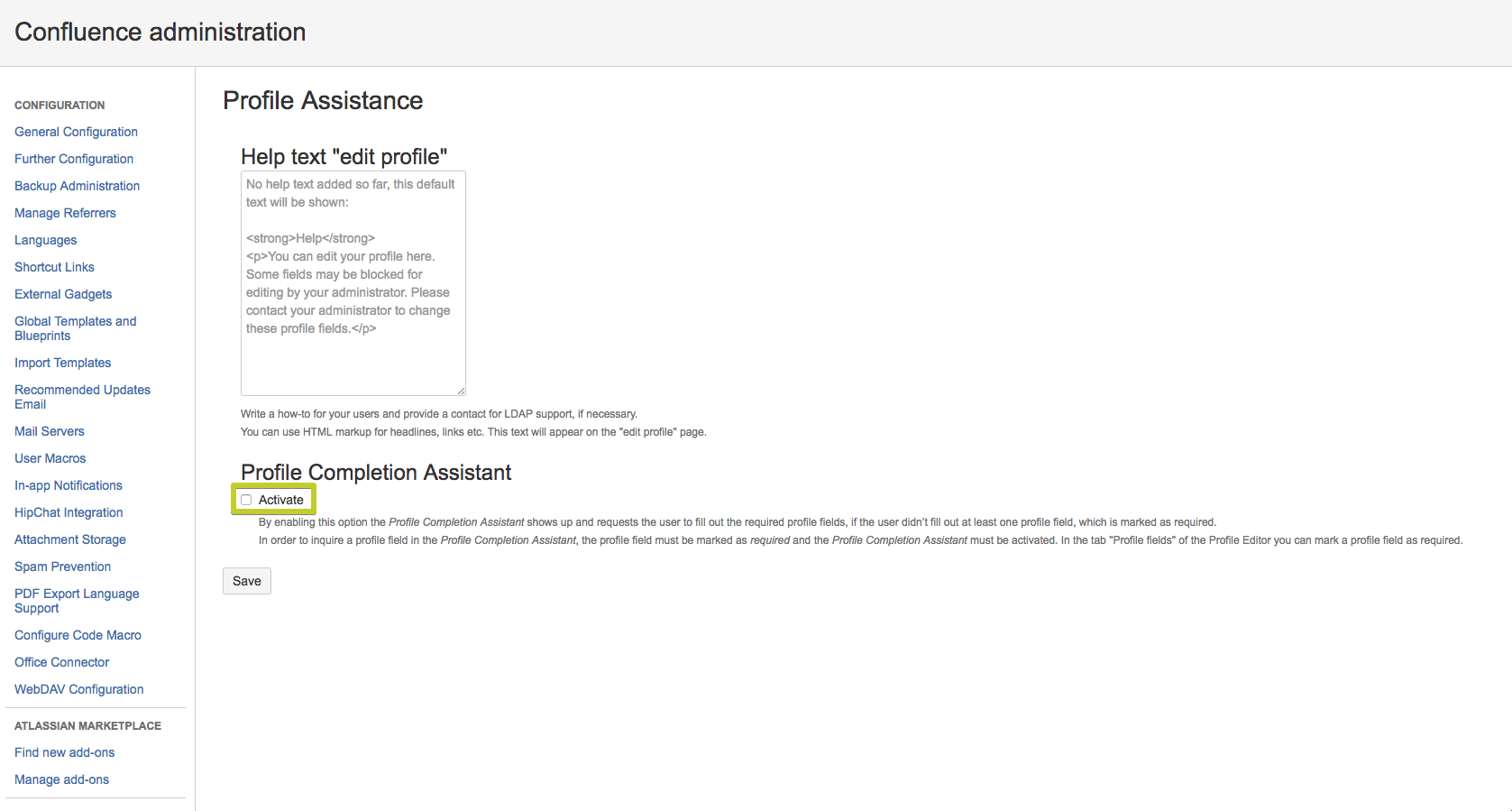
Enable the Profile Completion Assistant
Set required field
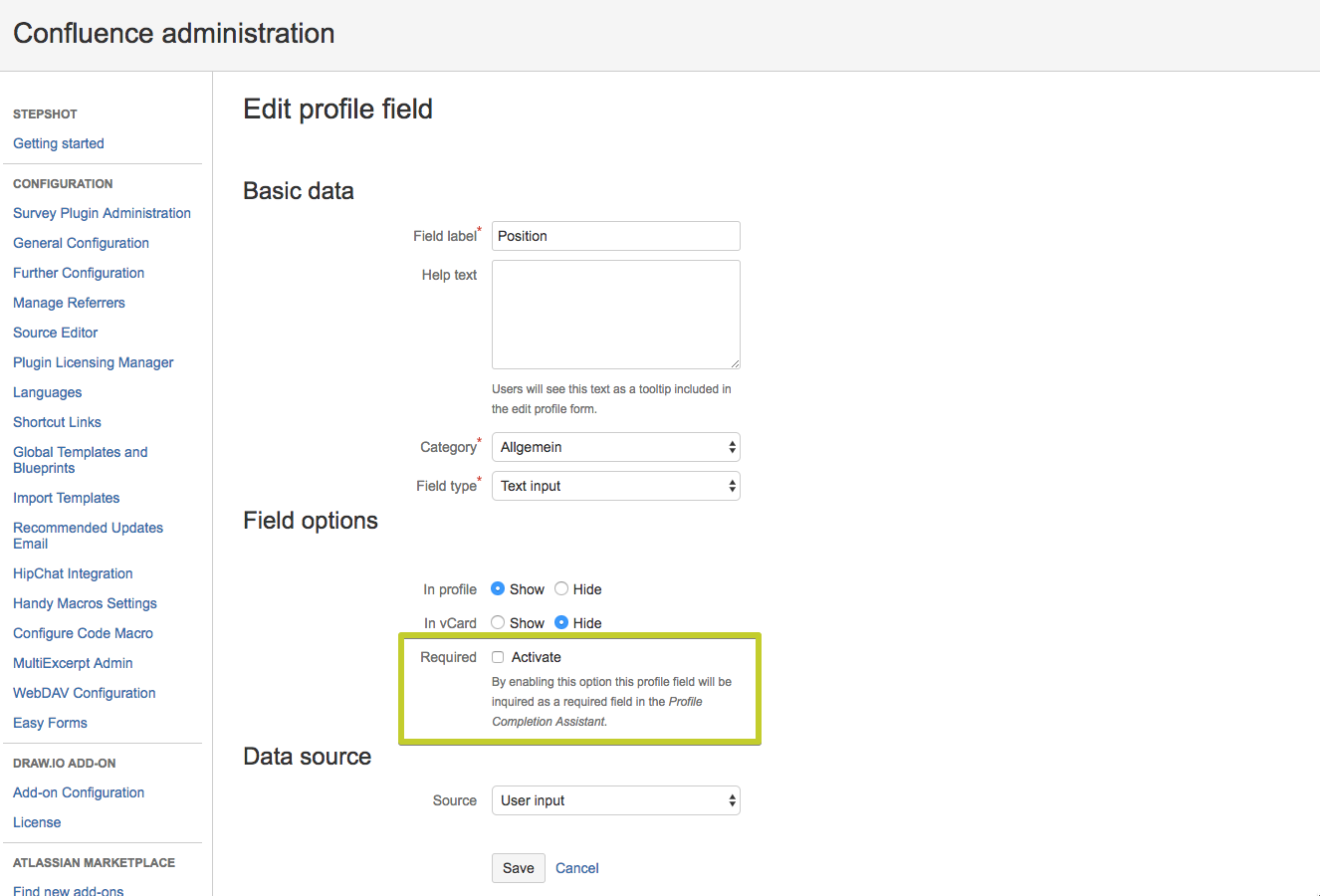
Set a user field required
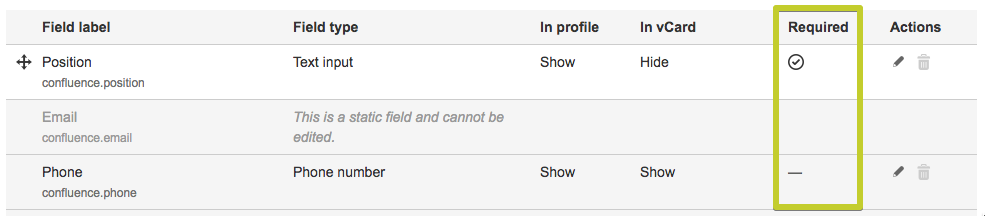
See which user fields are required
If a user has not filled all required fields, he will get an overlay after a login or a page reload. The overlay shows every field that is required, independent if it is filled or not. Saving is only possible if all fields are filled. The user can skip the filling process, but is reminded on every page reload.
Profile Completion Assistant overlay
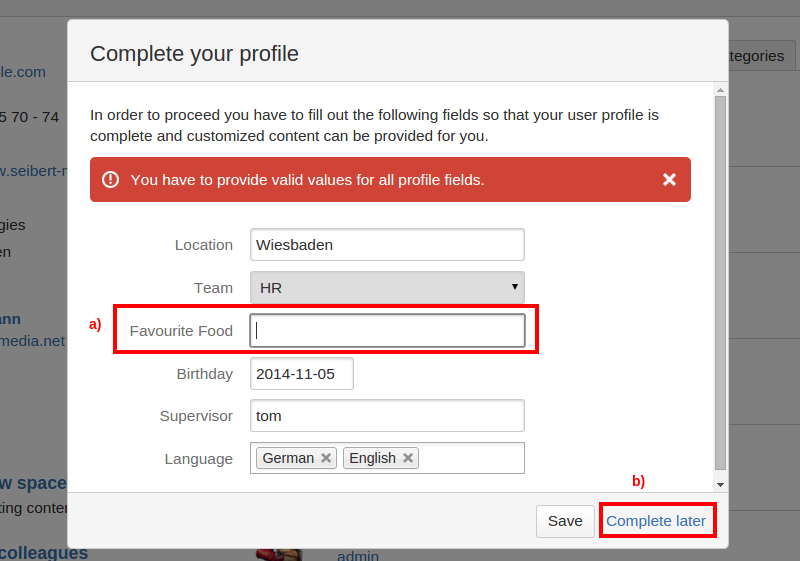
If a user has not filled all required fields, he will get an overlay after a login or a page reload. The overlay shows every field that is required, independent if it is filled or not. Saving is only possible if all fields are filled. The user can skip the filling process, but is reminded on every page reload.
If custom landing pages are configured and the landing page for the user has changed, the user is redirected to the new landing page.