
Enterprise News Bundle
Share your company's news with your employees
See the documentation for your Release
Give your news tiles a differentiated look, depending on space, label or category
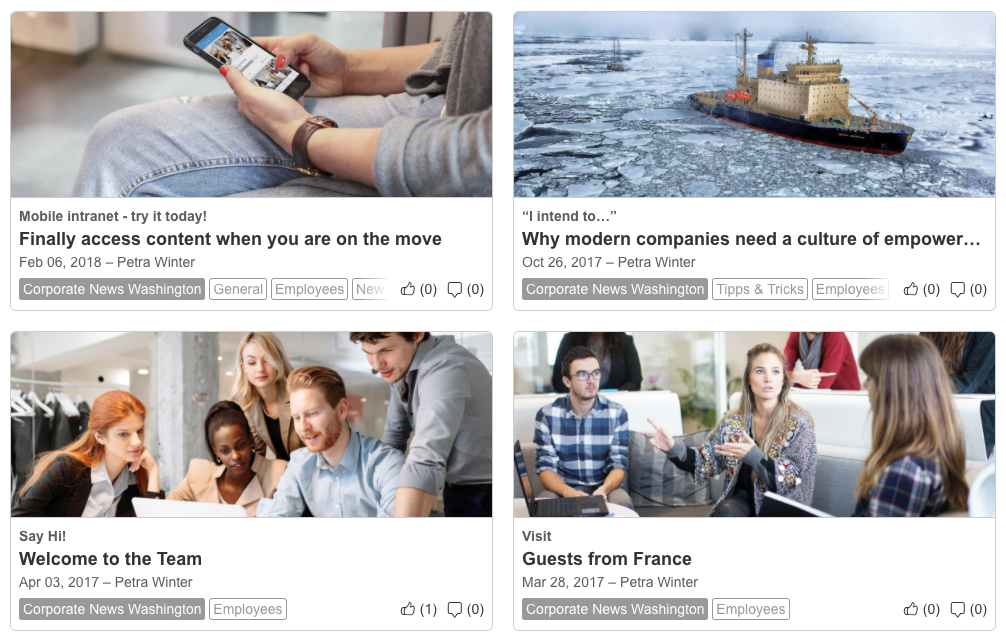
Usually all news tiles in a Cover Stories macro look the same: Background colors, fonts, font color etc.
But maybe you want to have a special look for news from a certain space, category or news tagged with a certain label: a golden background for news from the CEO's space maybe? 
In any case, starting with version 2.2 of the Enterprise News Bundle you can do just that: Set different CSS styles for the elements of a news tile depending on space, category or label.
These stylings have to be added via Custom CSS, there's no GUI for this functionality.
The CSS classes are the following:
For spaces:
enb-space-<spacekey>
For labels:
enb-label-<labelname>
For news categories:
enb-category-<ID>
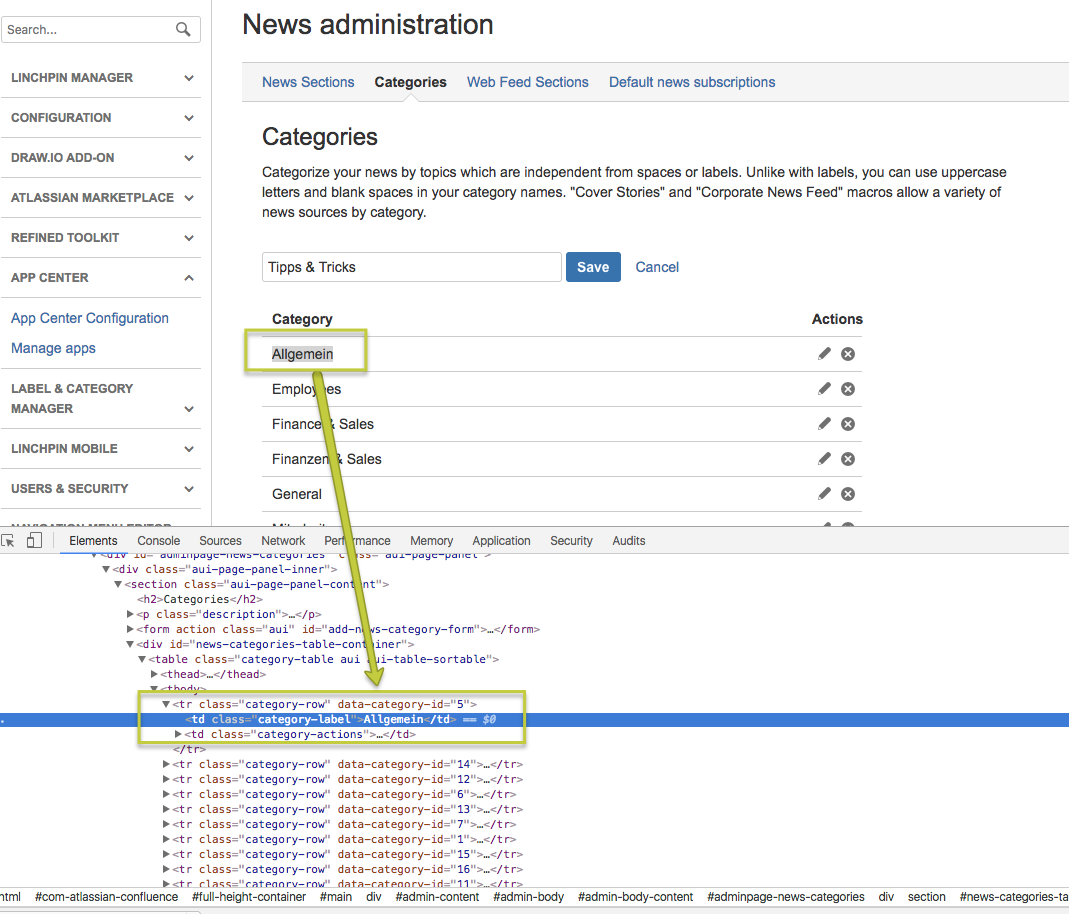
How to find out the category ID
Switch to the news category configuration within your Confluence administration. There's a table listing all existing news categories. Right-click the category of which you want to know the ID. Use your Browsers tool for inspecting the code. There's an entry "data-category-id". That's the information you are looking for. In our example the ID for category "Allgemein" is 5. To set CSS stylings for news from this category, you'll use the class "enb-category-5".
Another way to get all categories along with their IDs is to enter the following code in the browser console:
$.get(AJS.contextPath()+"/rest/enterprise-news-bundle/1.0/categories").done(AJS.log);