Your users can sing up for a daily digest of all unread Microblog posts. This daily digest is sent out via e-mail. Read here how to configure those e-mail notifications.
 This article is outdated.
In newer versions (Microblog 4.0 and newer), users can setup e-mail notifications by themselves. Administrators no longer need to do that.
If you use a Microblog version below 4.0, those settings still apply to you.
How to configure e-mail notifications
By default, your users can subscribe to a daily digest of all unread Microblog posts.
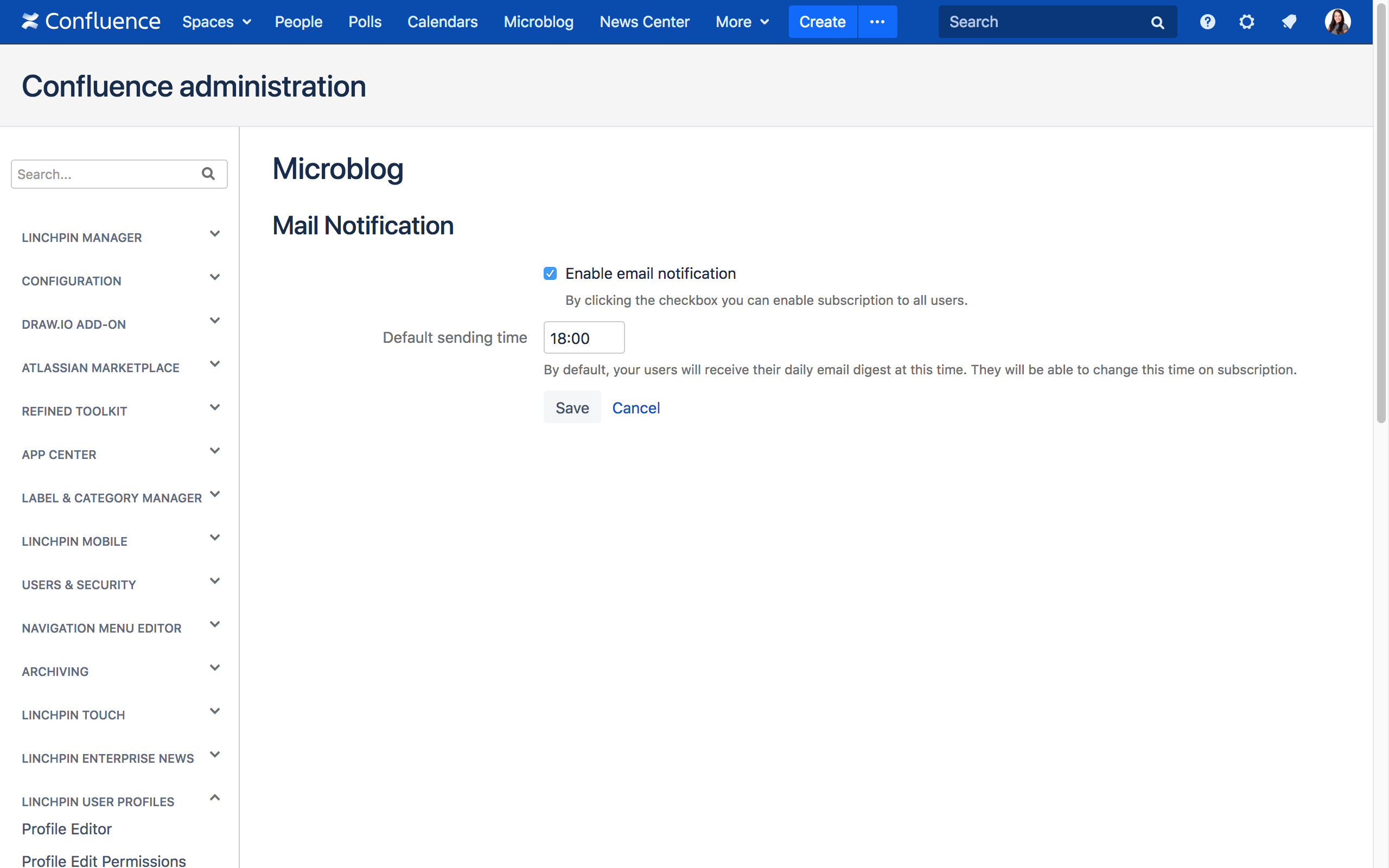
To configure those e-mail notifications, navigate to Confluence administration → Microblog → Mail Notification.
Enable email notification
Activate the Enable email notification checkbox to enable e-mail notifications about unread microposts for all users.
Default sending time
Set up a default time for e-mail notifications of the daily digest here. Input the time in an HH:MM format (for example 20:00; 15:30).
Your users can override this setting, if they wish to receive their e-mail notifications sooner or later.
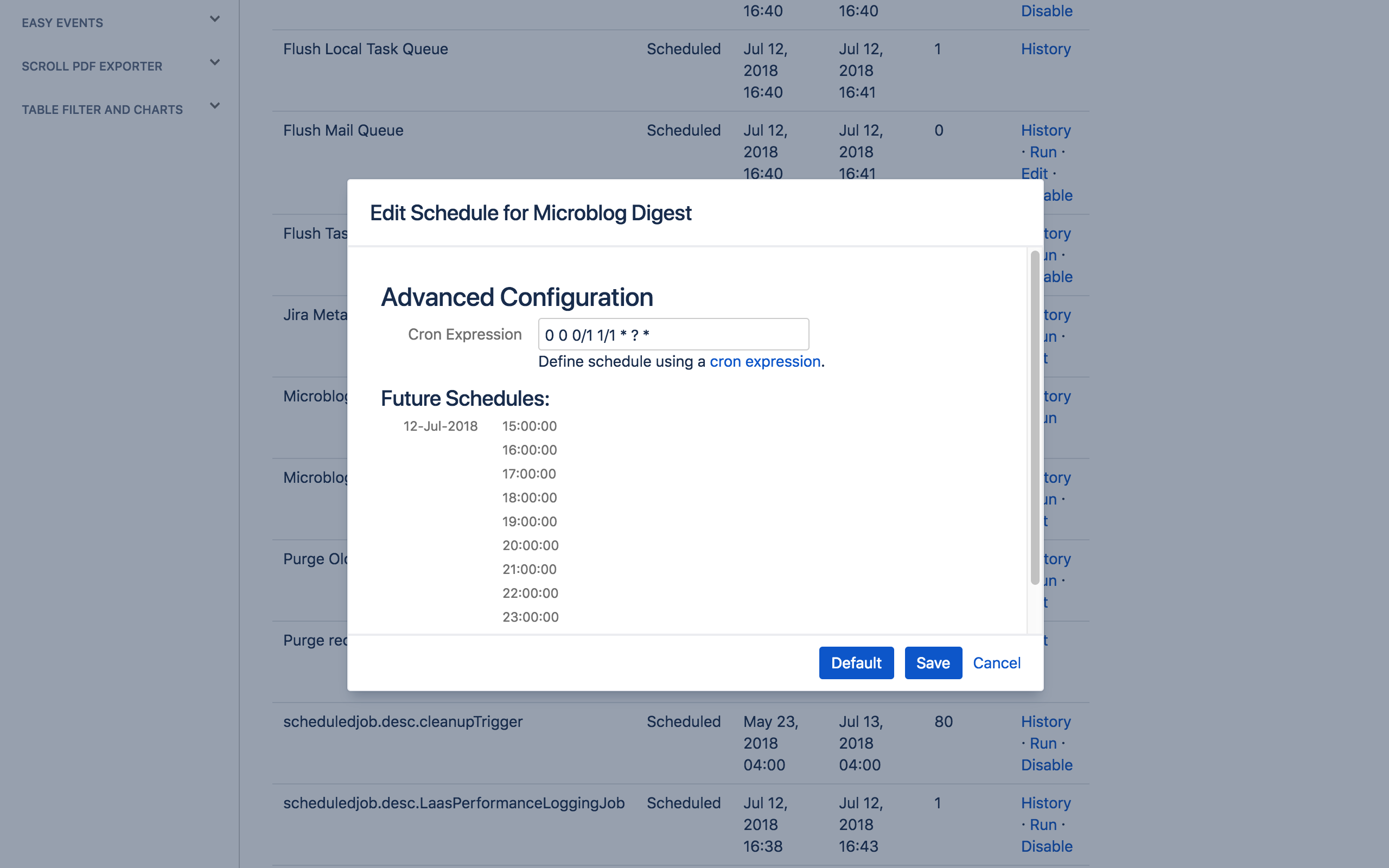
Schedule for Microblog Digest
You can use a scheduled job to send out the Microblog Digest.
The scheduled job runs every hour (the schedule interval equals the interval users choose from). Every hour, an e-mail is sent to every user who wished to receive the daily digest at said hour.
You can always disable the scheduled job or change the time interval, but please note that users won't receive the daily digest at their chosen time then.