
Documentation's navigation
On this page
Dark mode
NEW IN 3.1
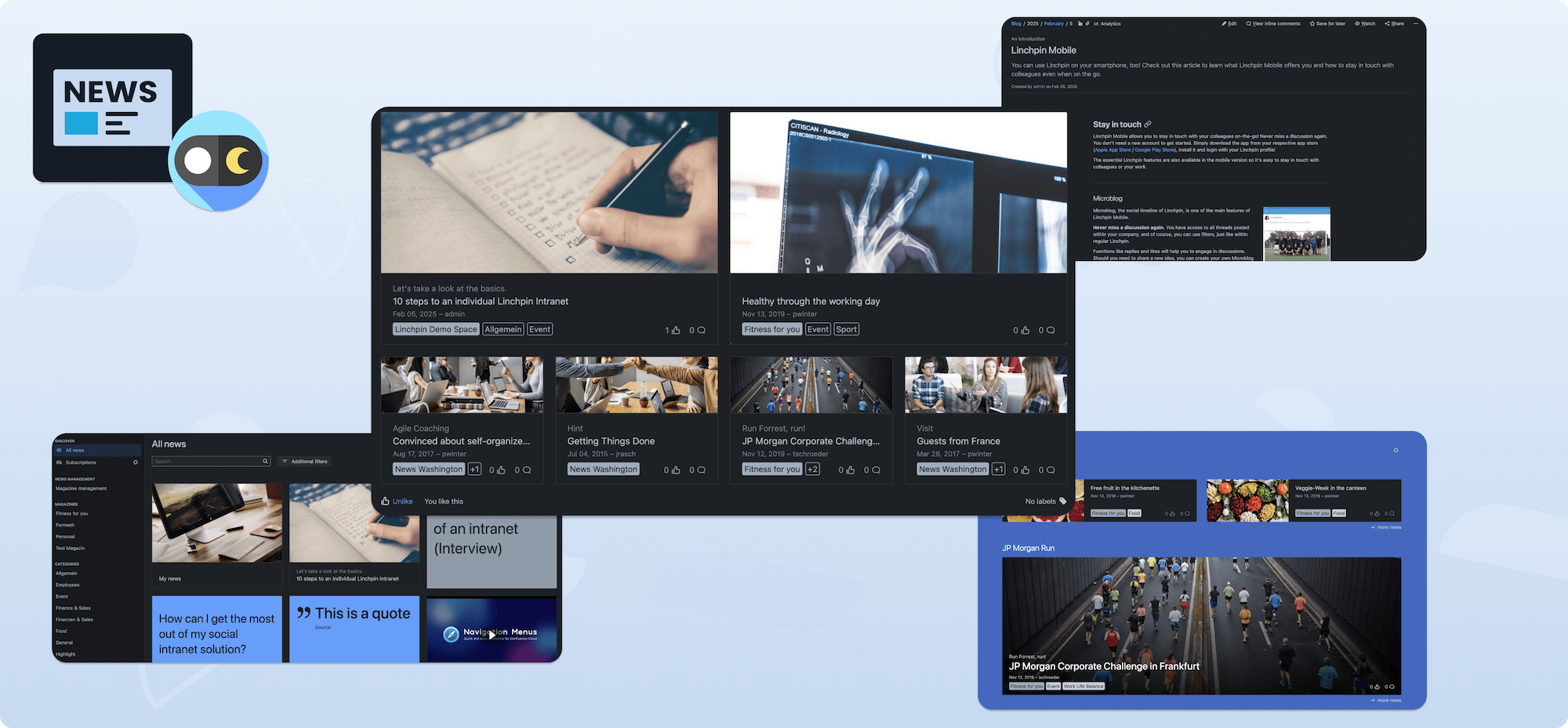
Your news are now available in dark mode! 🥳
This includes the following:
- News hub
- Cover stories macro
- News Magazines
- Single news view
- Corporate News feed macro
- Personal News feed macro
- Admin area
- Space admin areas, such as mandatory news, sticky news etc.
How do I switch to dark mode?
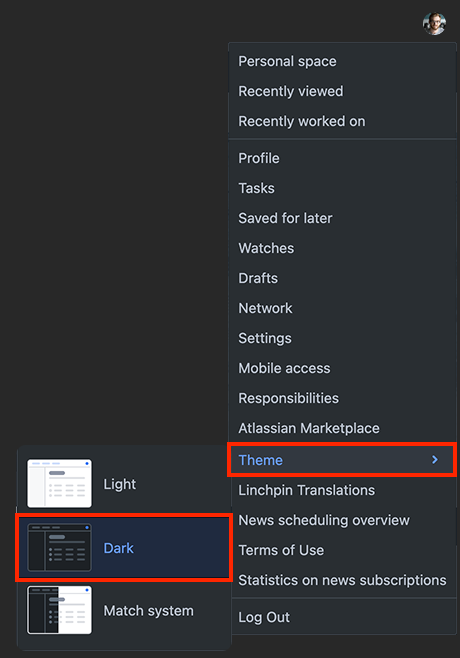
It's easy! Simply click on your profile icon and navigate to Design → Dark.
Important
This feature is only available from version 3.1. and upwards. You have to have Confluence 9 or higher to be able to use dark mode.
What else can I do with Linchpin Enterprise News?
Want to learn how to approve or reject news? Click here!

☁️ Looking for a Cloud-based Intranet?
Check out Mantra, your go-to alternative to Linchpin in the Atlassian Cloud!
Mantra is your a comprehensive solution for connecting teams, making collaboration a breeze, and keeping your company's internal communication strong and streamlined - all in the cloud.