
Usually, a notice requires profile fields or spaces to be displayed. But there is a workaround to display purely text-based notices.
How to create a notice with only text
Usually it's not possible to display pure text within a notice. For the notice to show, profile fields configuration or space selection must be offered within the notice.
But there is a workaround.
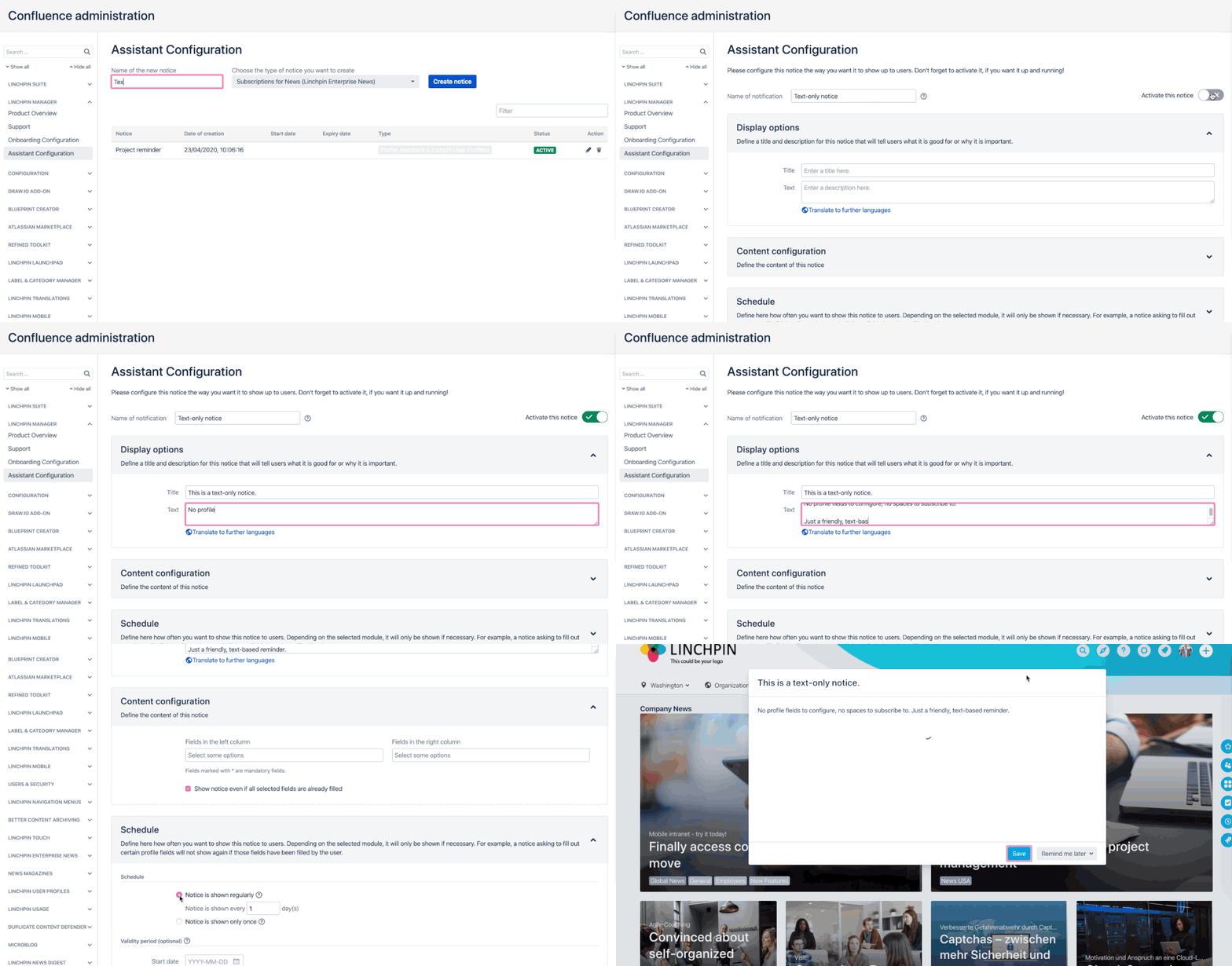
Create a new notice of the Profile Assistant type.
Enable the Activate the notice button (green = active).
Enter the title and the text you wish to display.
Don't enter any profile fields. Instead, activate the Show notice even if all selected fields are already filled checkbox.
Configure the Schedule however you want.
Click on the Save button.