
Documentation's navigation
In this section
On this page
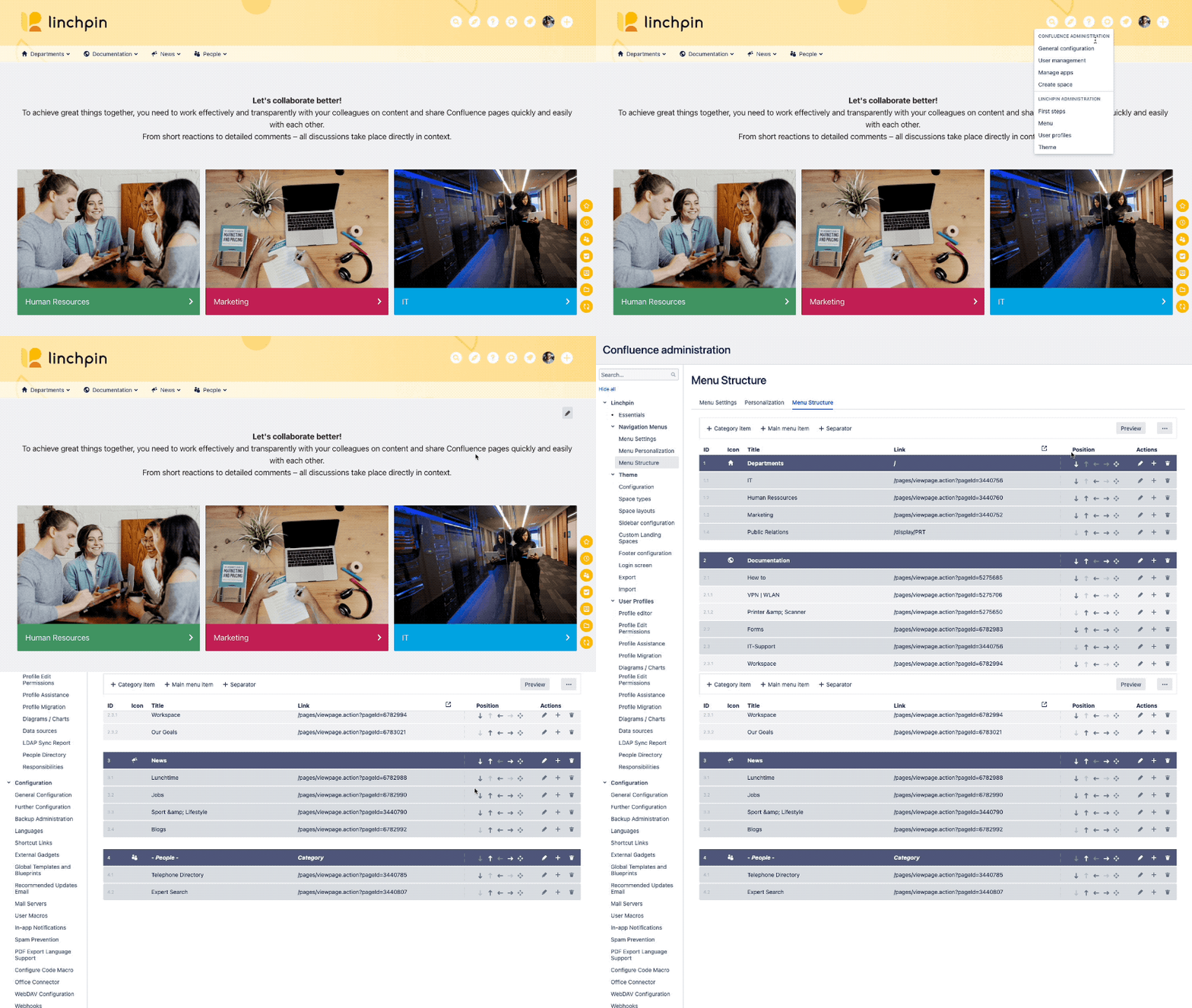
How to access the Menu Structure tab
Navigate to Confluence administration > Linchpin Navigation Menus > Menu Structure.
Alternatively, click on the settings icon in your Linchpin header, then click on Menu.
How to edit the menu
We explain how to edit the menu on the subpage "Add menu entries". Click on the following teaser to access this page.
How to use the preview
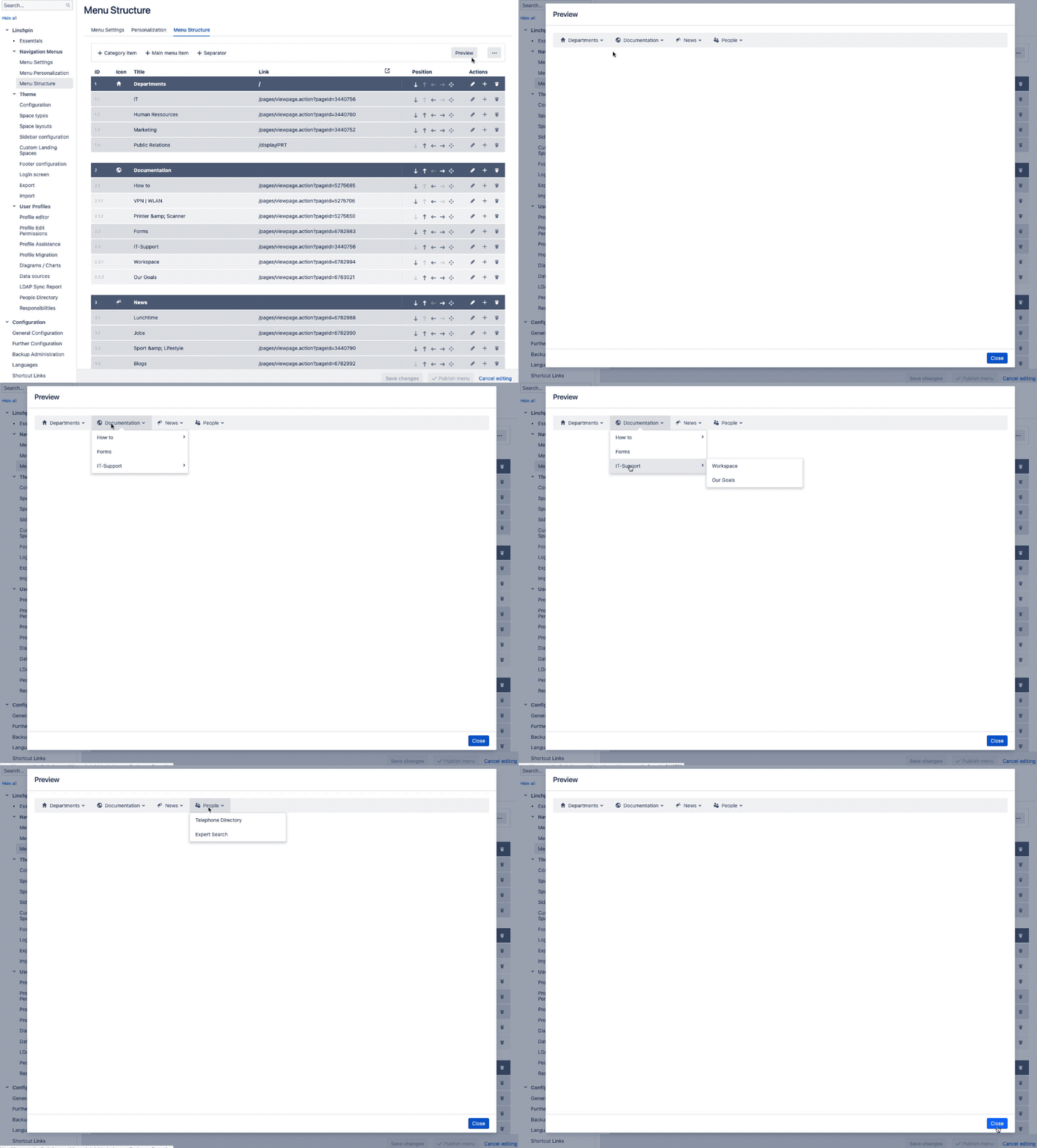
You can find a preview setting in the header element of the editor.

Click on the Preview button to see a preview of your navigation menu.
Save changes vs. Publish menu
Save changes
If you click on Save changes, a draft version of your menu will be created. This draft version is not visible to the end user.
If an unpublished menu draft exists, other editors will see a warning when they access the Menu Structure menu. This message also shows the last user who saved the draft and when he saved it.
Publish menu
Click on "Publish menu" to make the menu visible for all users. All published menu versions are marked in the menu history with a  icon.
This button only appears when it makes sense. If there are no unsaved drafts, you won't see this button.
Import & export of a menu
The Navigation Menu Editor offers an import / export functionality. You can export the most recently saved menu to a JSON file. You can import the JSON-file to the same or another Confluence instance.
Export a menu
Click on the "three dots"  button. A context menu will open. Select the option Export saved menu to file. A JSON-file containing your menu will be downloaded.
Import a menu
Click on the "three dots" button. A context menu will open. Select the option Import from file. Upload the JSON-file containing your menu.
Menus imported to another instance may become invalid when the Confluence page IDs are different.

☁️ Looking for a Cloud-based Intranet?
Check out Mantra, your go-to alternative to Linchpin in the Atlassian Cloud!
Mantra is your a comprehensive solution for connecting teams, making collaboration a breeze, and keeping your company's internal communication strong and streamlined - all in the cloud.