
Documentation's navigation
On this page
Export to your calendar (manual download)
You can export any event into your personal calendar.
Navigate to the event hub and click on the "⋯" button next to event title. This will open a context menu. From there, you can choose "Add to my calendar" to download an .ics file.
You can import this file to a calendar of your choice.
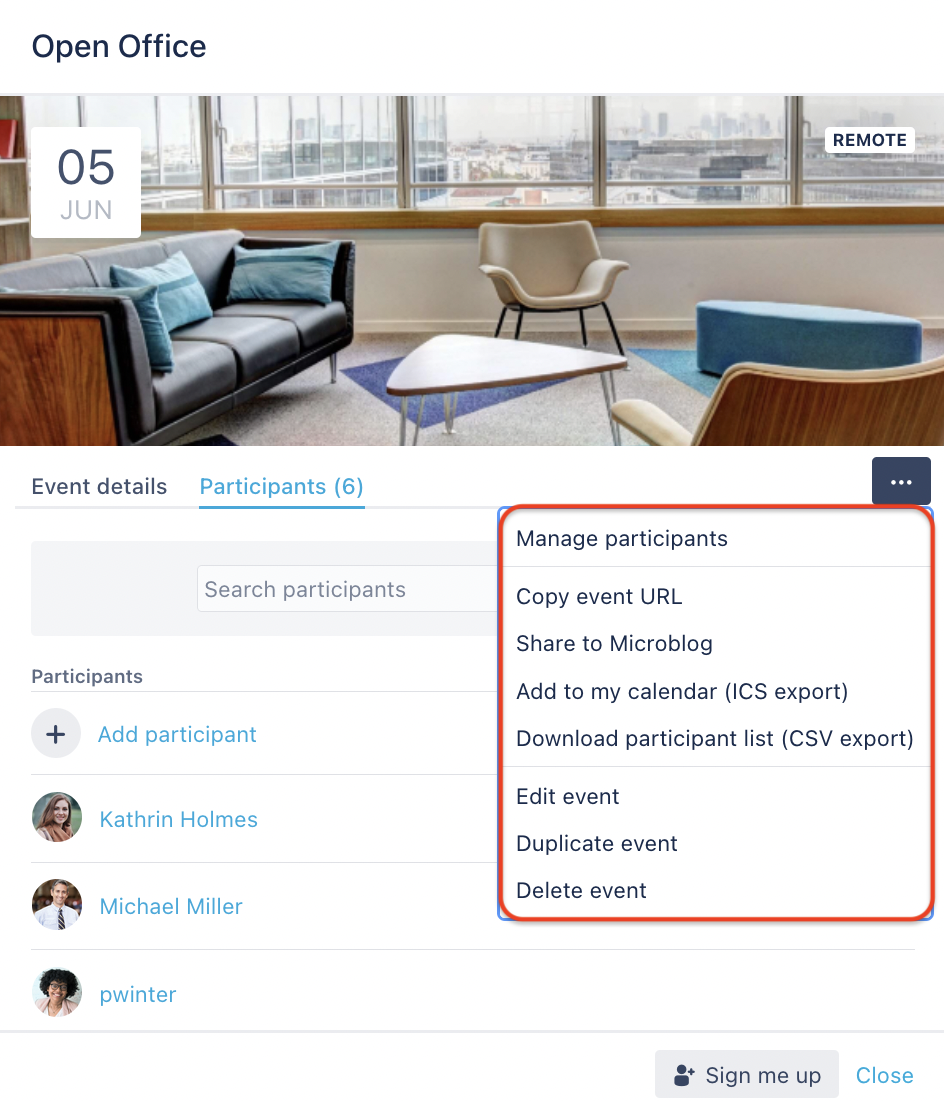
Every user who can view the event can export an .ics file. You do not have to be a participant to export the event.
What else can I do with Linchpin Events?
Want to know how to export your calendar via email? Click here!

☁️ Looking for a Cloud-based Intranet?
Check out Mantra, your go-to alternative to Linchpin in the Atlassian Cloud!
Mantra is your a comprehensive solution for connecting teams, making collaboration a breeze, and keeping your company's internal communication strong and streamlined - all in the cloud.