
Documentation's navigation
On this page
What is the Profile macro?
The "Profile" macro displays a vCard (business card) of any profile. You can insert this macro into any page.
The "Profile" macro is a pre-installed Confluence macro which we overwrite to display additional information about the user.
Inside the Profile macro, you need to specify two settings.
User
Enter the name of the person whose profile should be displayed. Start to enter the name and the macro will display profiles that fit.
View mode
The default view mode shows the fields that your admin has configured within the profile editor.
The customized view mode allows you to display the profile fields you want to display.
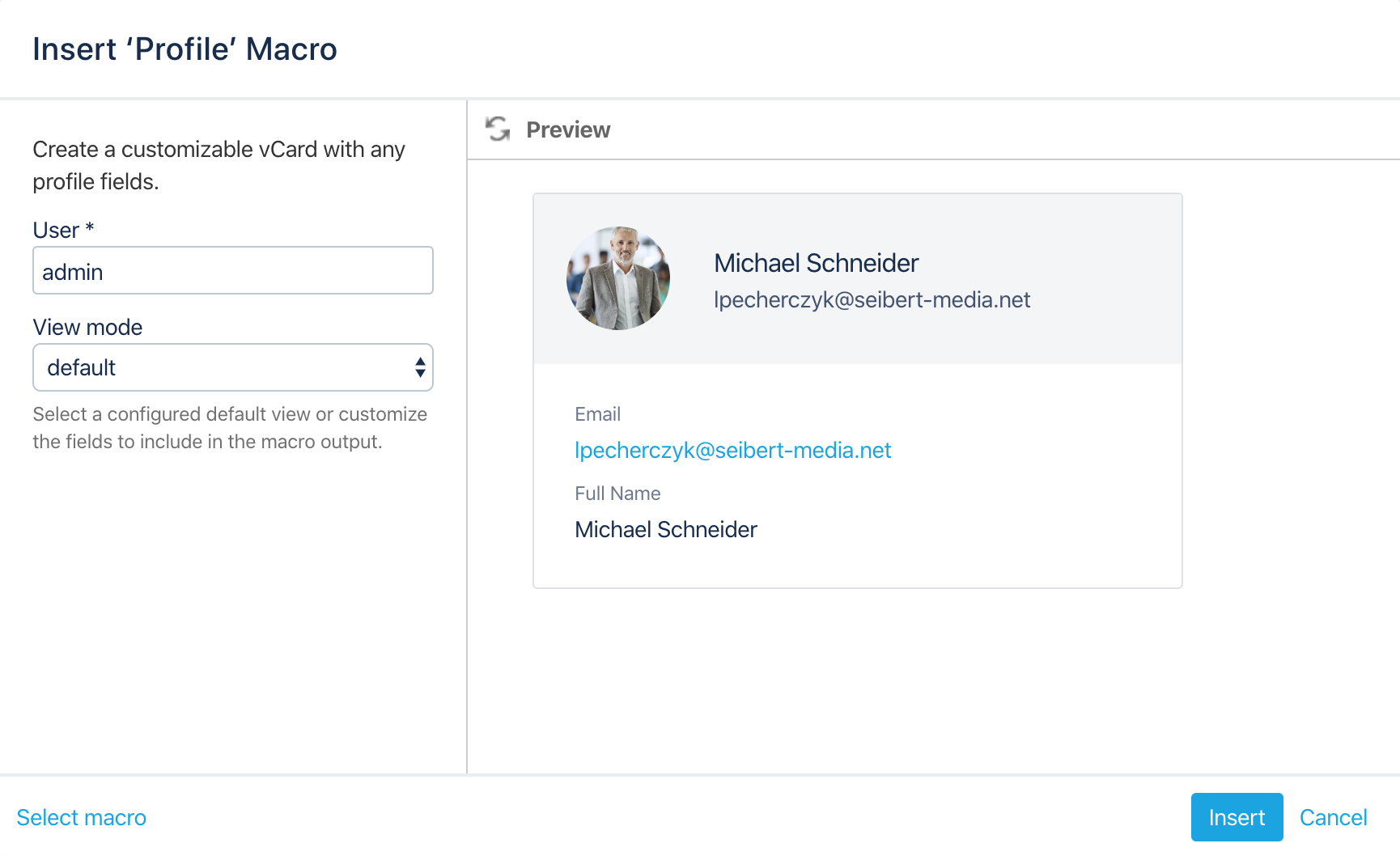
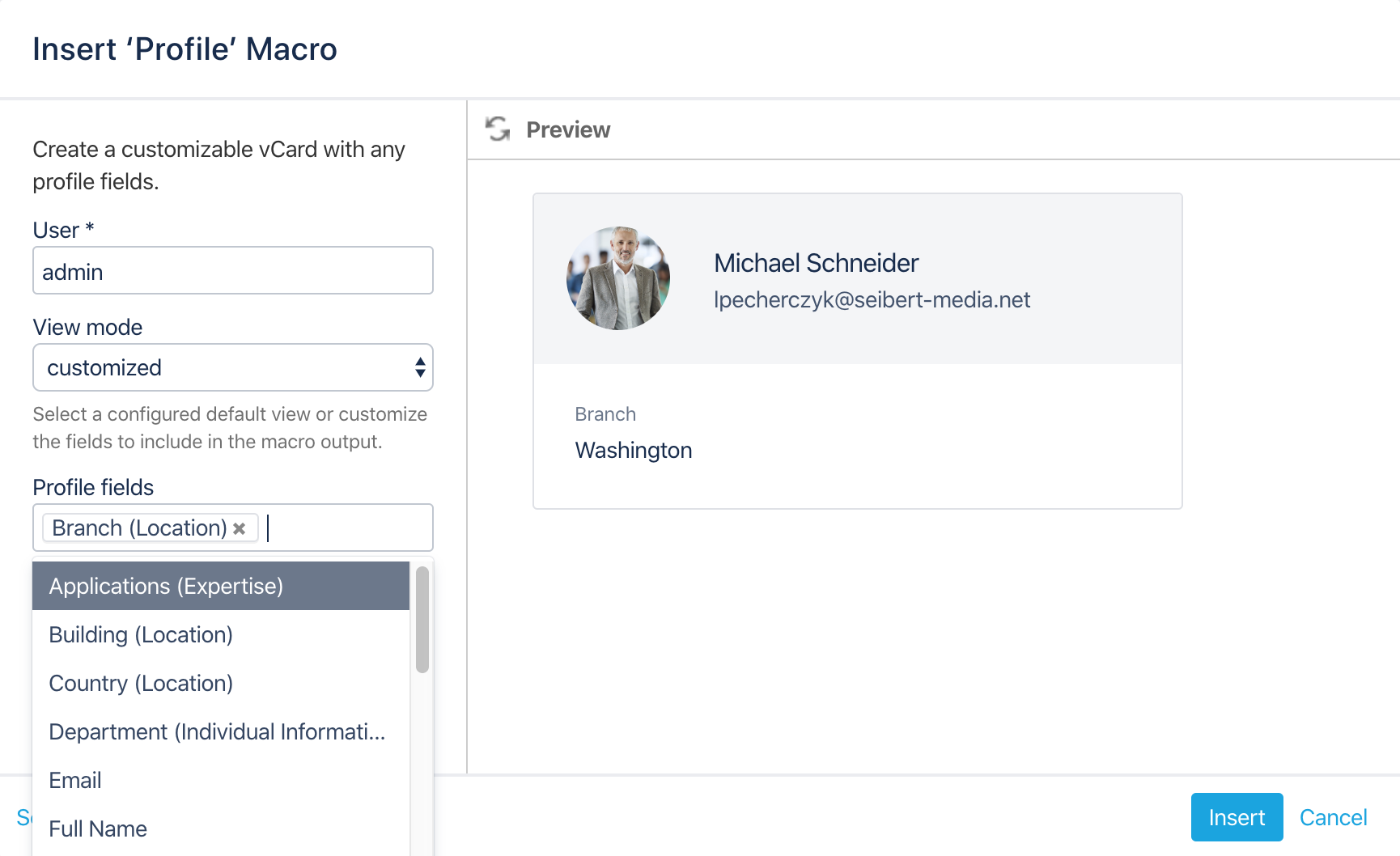
Configure the Profile macro
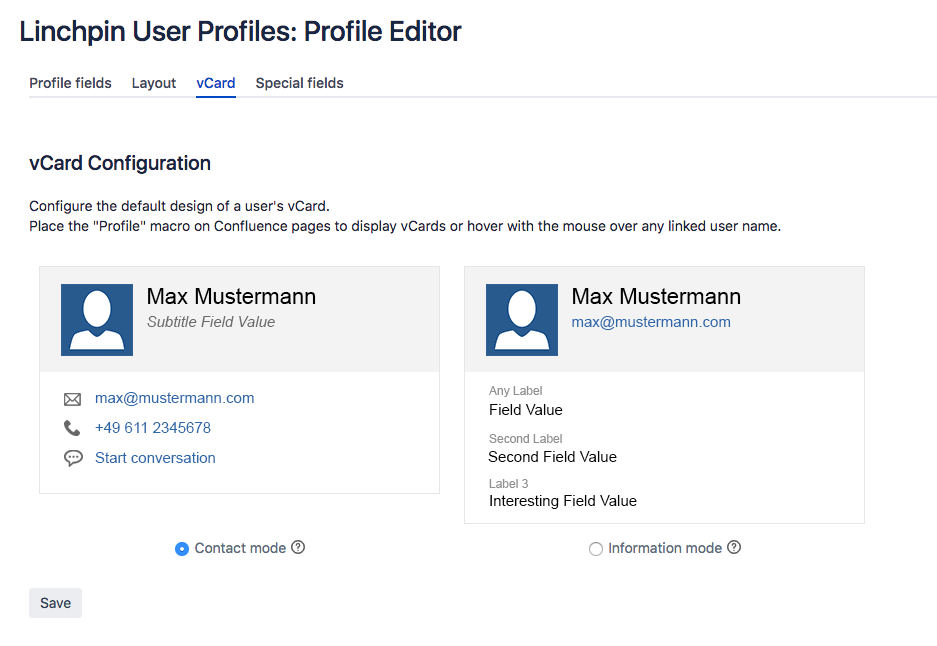
Navigate to Confluence administration → Linchpin User Profiles → Profile Editor → vCard.
Here you can choose between two display modes.
Contact mode will display all information defined in the Contact area of the Profile fields tab.
Information mode will display all profile fields defined in the Profile fields tab which have the setting In vCard enabled.
Contact mode vs. information mode
In vCard setting which decides if a profile field is displayed inside the information mode
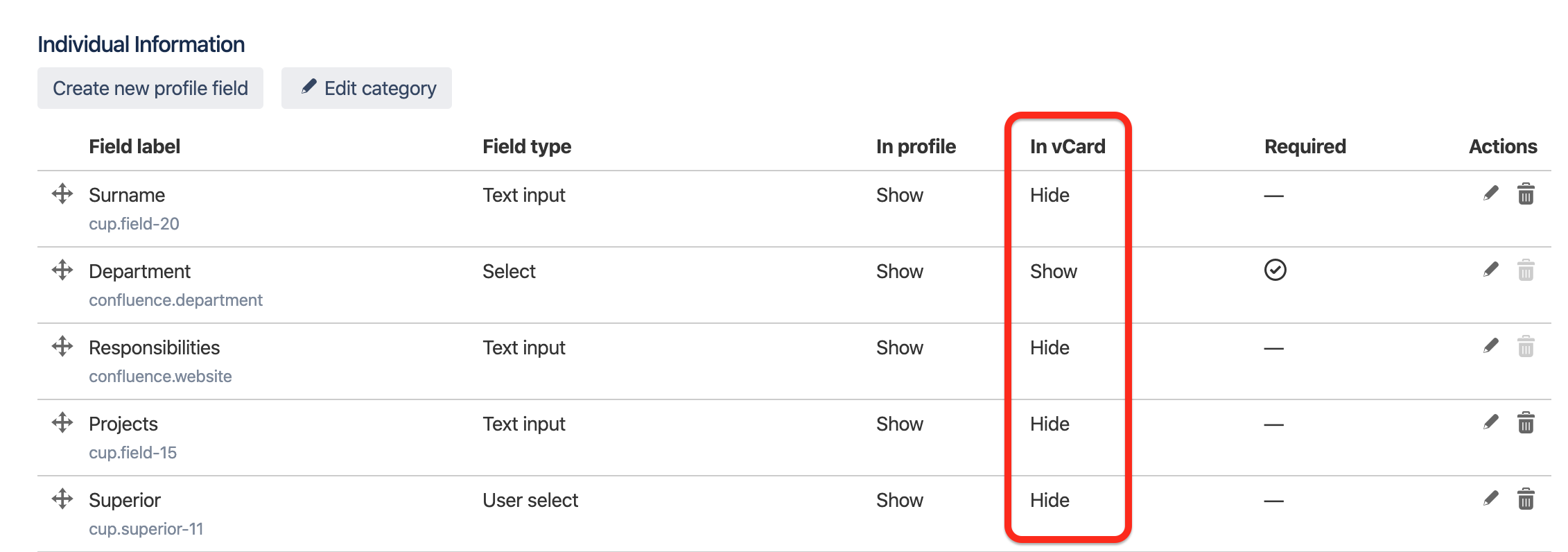
In versions 2.22 and newer, the option "in vCard" does not exist anymore. All profile fields can be displayed inside the vCard.

☁️ Looking for a Cloud-based Intranet?
Check out Mantra, your go-to alternative to Linchpin in the Atlassian Cloud!
Mantra is your a comprehensive solution for connecting teams, making collaboration a breeze, and keeping your company's internal communication strong and streamlined - all in the cloud.