
Documentation's navigation
On this page
What is a sticky header?
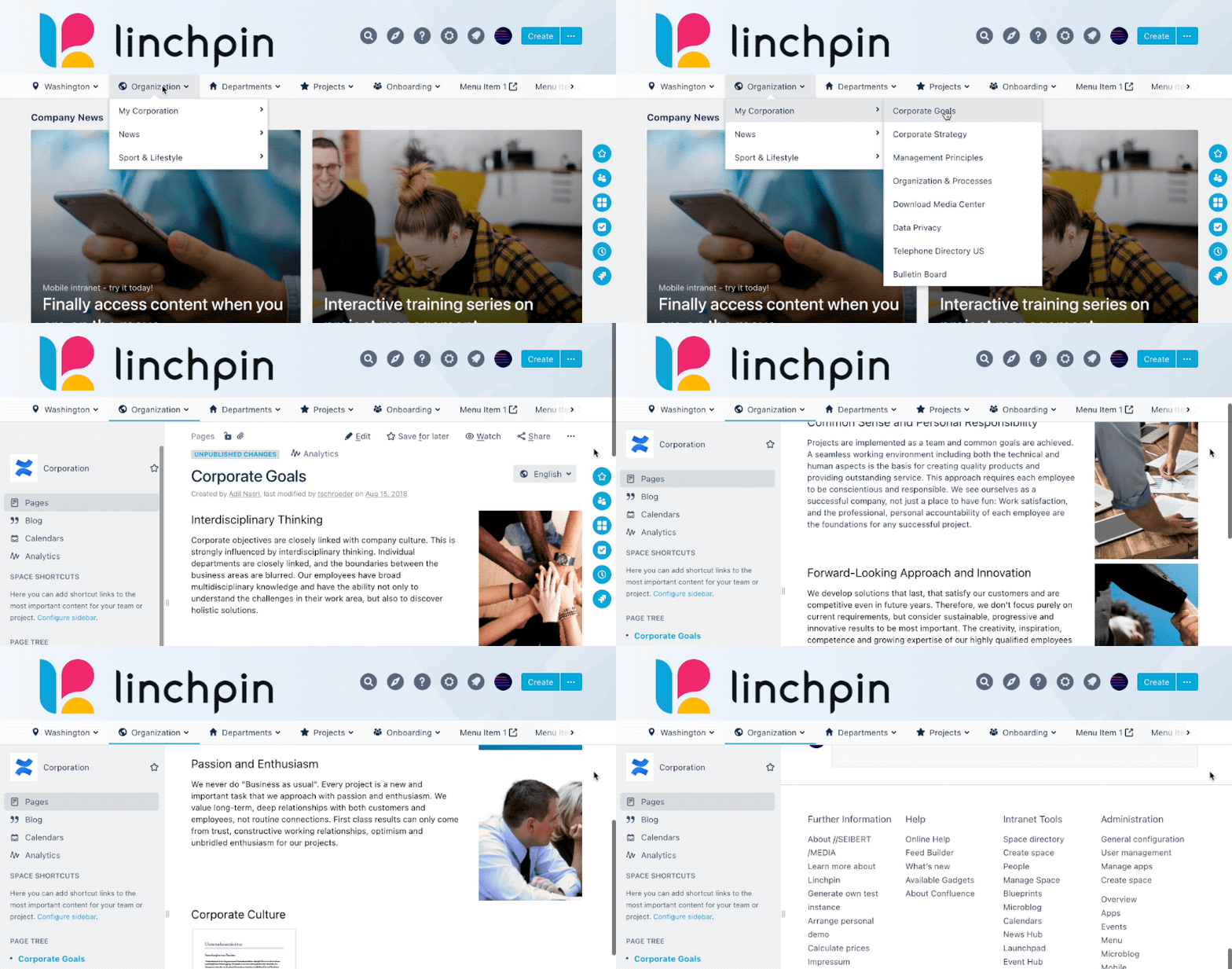
A sticky header (also known as persistent header) is the name for a common pattern that keeps a website's header in the same place on the screen as the user scrolls down the page.
How do I make the header non-sticky?
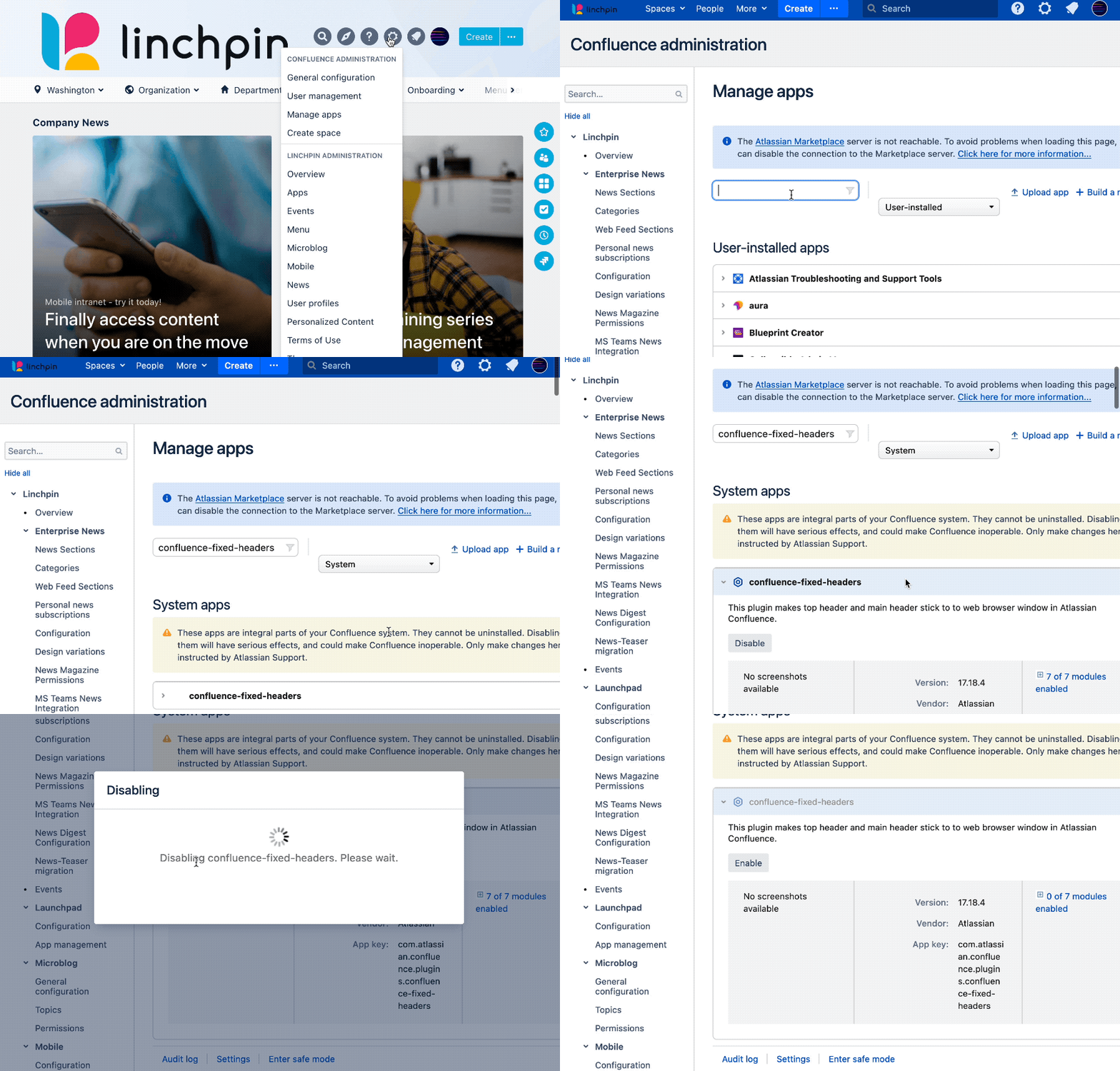
To make the header non-sticky complete the following steps:
- Within the header, click on the gear icon, which is next to the bell icon, and select "Manage apps", this leads you to the UPM (Universal Plugin Manager).
- In the search bar type in
"confluence-fixed-headers" - Select "System or "All apps" as the filter => this is important, otherwise the app won't be found!
- Click on "confluence-fixed-headers" underneath the System apps/All apps
- Click on the "Disable" button
- That's it! Now, reload your Linchpin instance and open a page, the stickiness is gone!
By disabling the system app "confluence-fixed-headers" the sticky header is globally disabled – there is no way to disable the sticky (Linchpin) header for specific spaces only.
The difference between a sticky and non-sticky header
For better comparision, you can see the difference between a sticky and a non-sticky header below.
Sticky header
Here the header stays at the top of the screen when the user scrolls down the page.
Non-sticky header
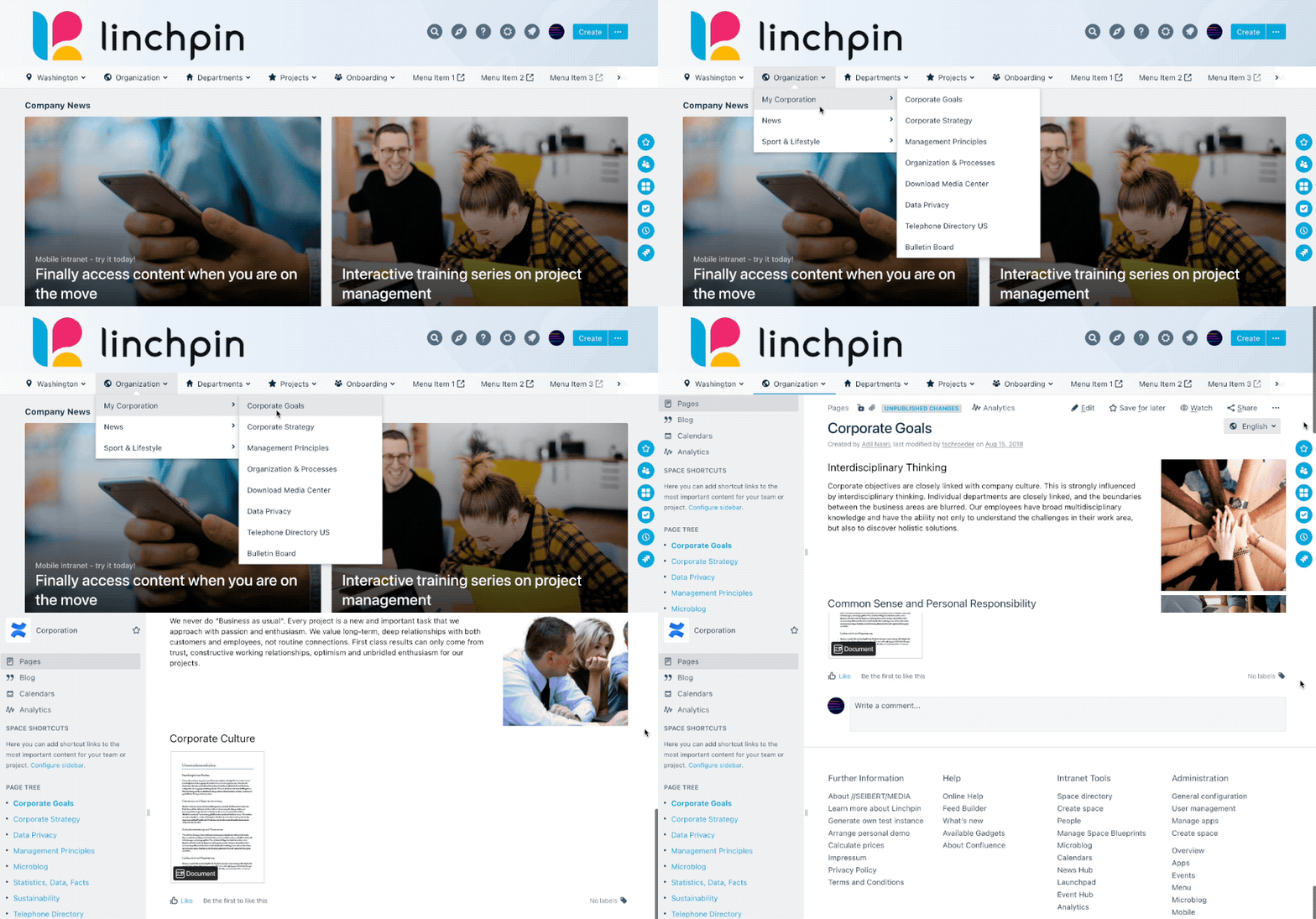
In this example the header does no longer stay at the top of the screen when the user scrolls down the page.

☁️ Looking for a Cloud-based Intranet?
Check out Mantra, your go-to alternative to Linchpin in the Atlassian Cloud!
Mantra is your a comprehensive solution for connecting teams, making collaboration a breeze, and keeping your company's internal communication strong and streamlined - all in the cloud.