
Migrate from Issue Templates for Jira OR Easy Templates for Jira Issues
It only takes 3 steps
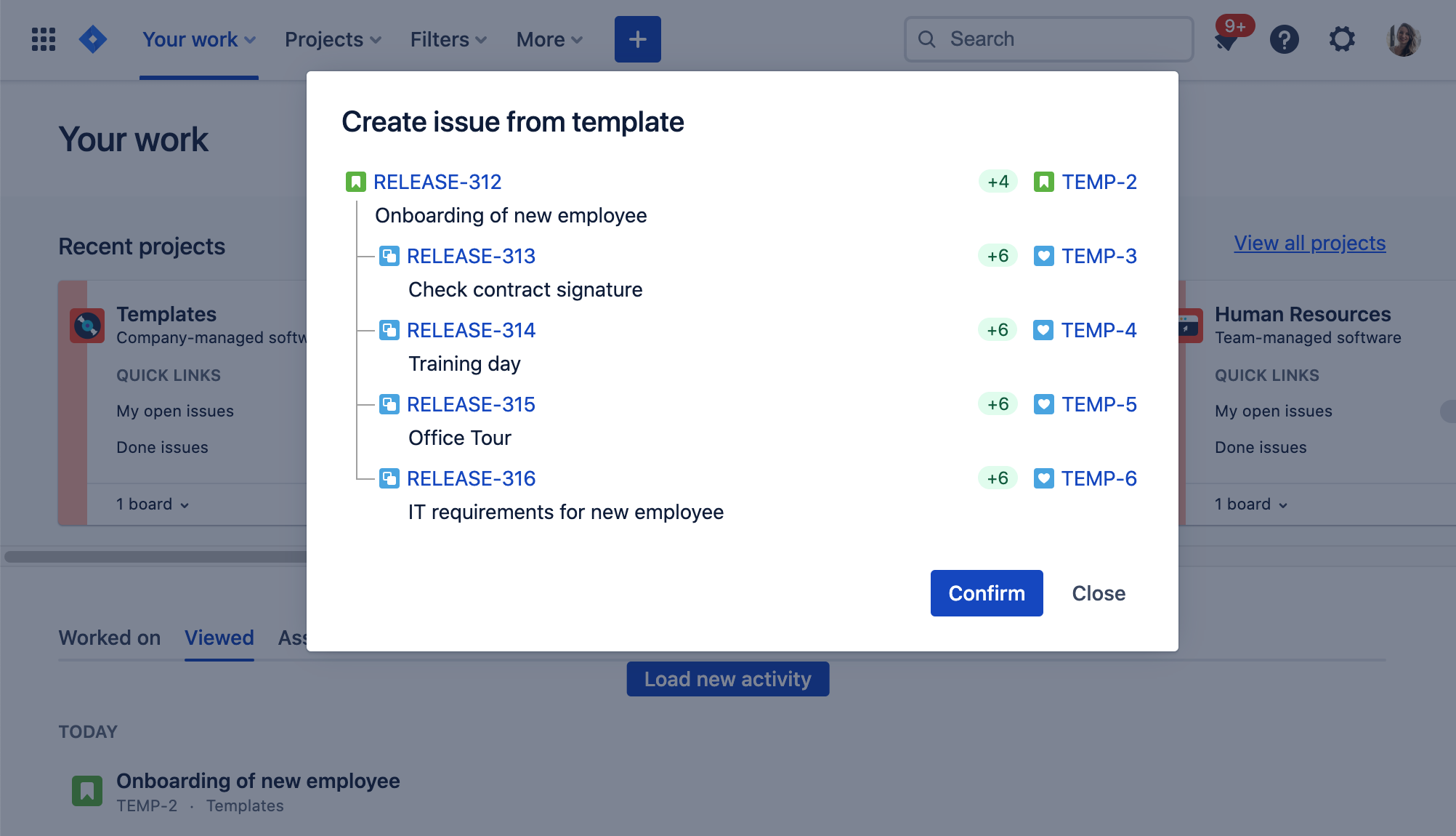
Issue Templates for Jira
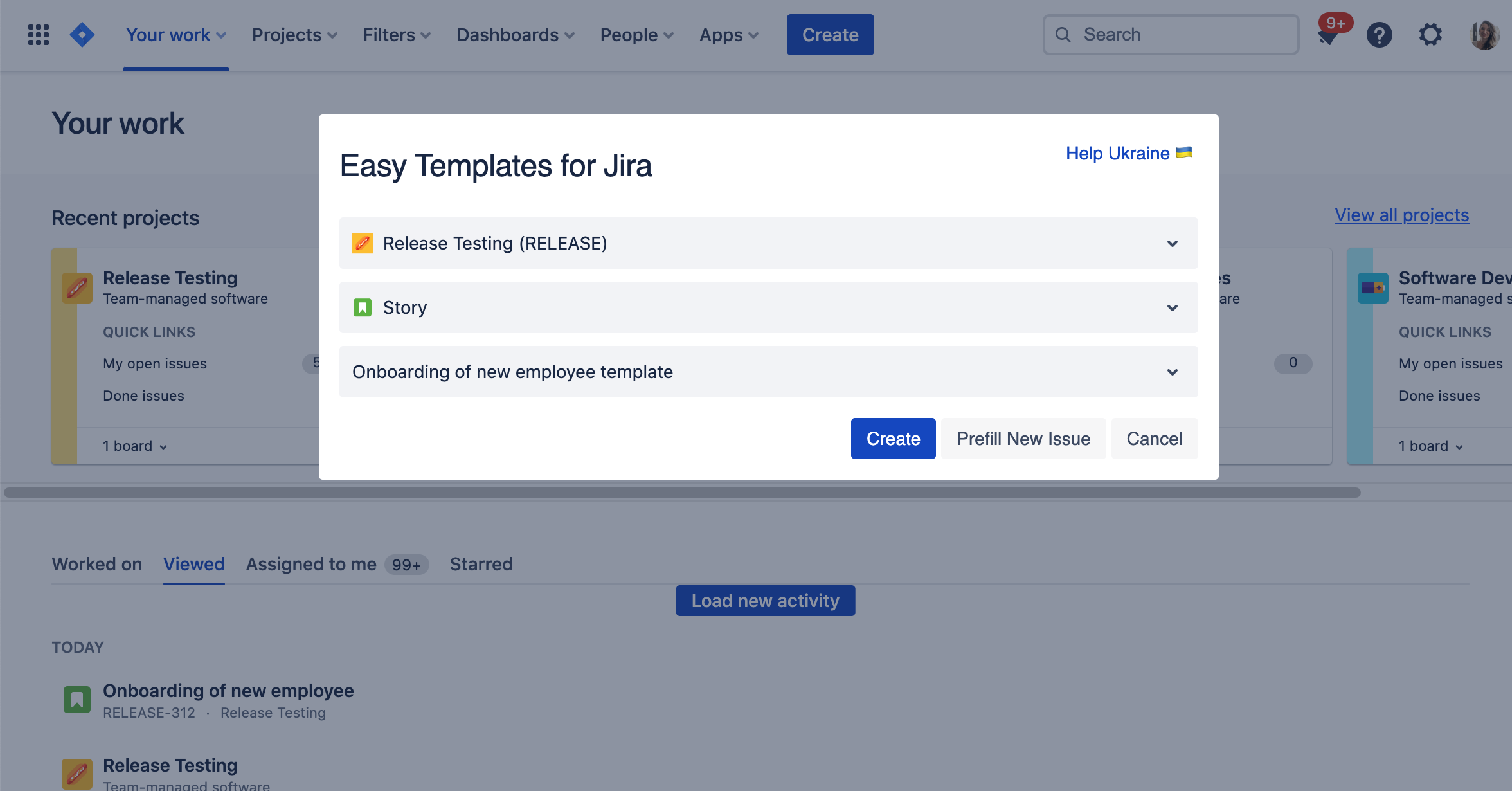 Easy Templates for Jira Issues
Create Issues with a template which you want to migrate
 Create those issues within the project where you want to locate your new template
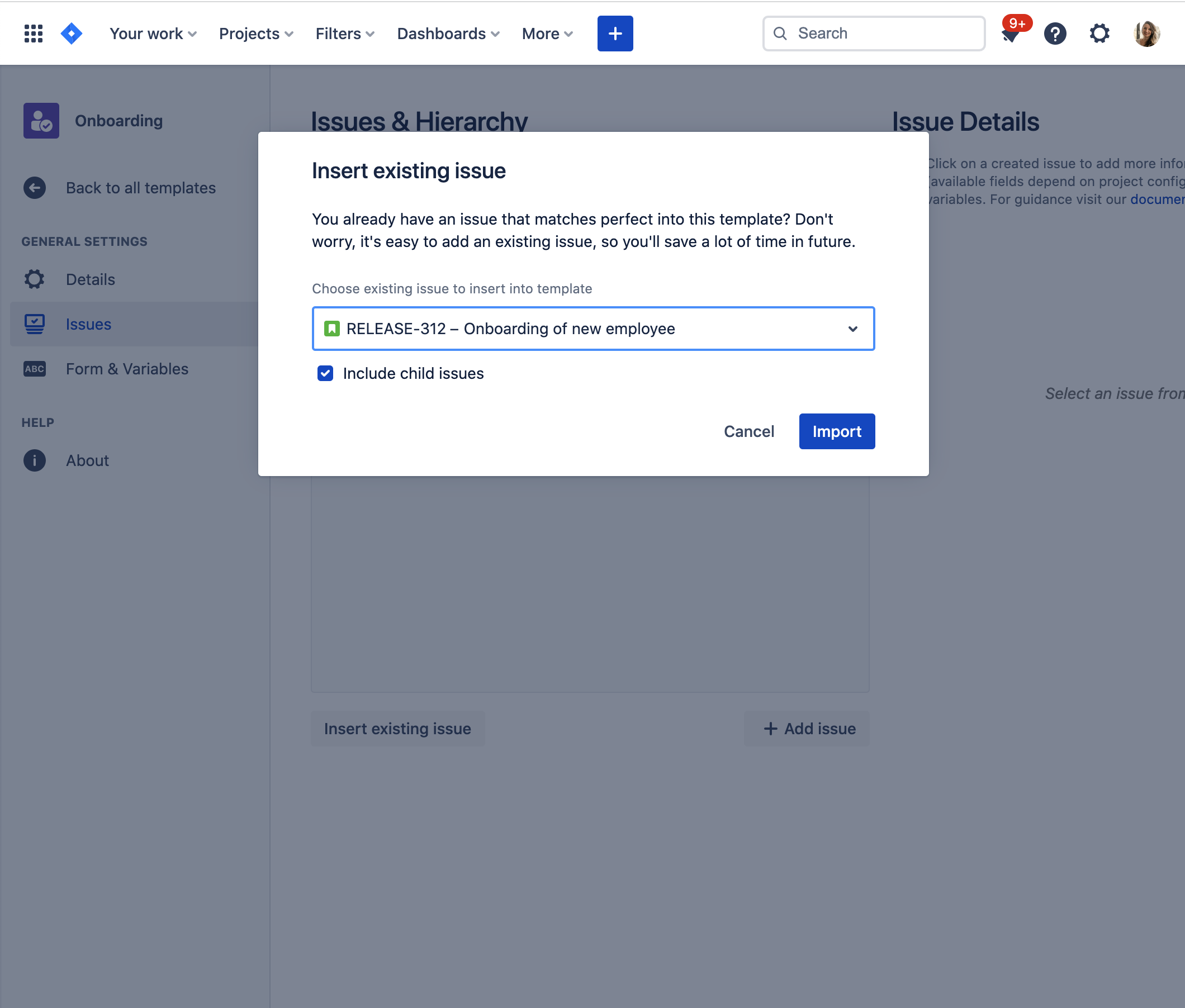
Navigate to the Issue Templates Overview and click on Create. You can also add the issues to an existing template. In this case, open this one.
Afterwards, click on "Insert existing issue".
Select the matching issue (highest level) which you want to insert.
Click "Import" (Summary, Description any many other field inputs will be imported as well).
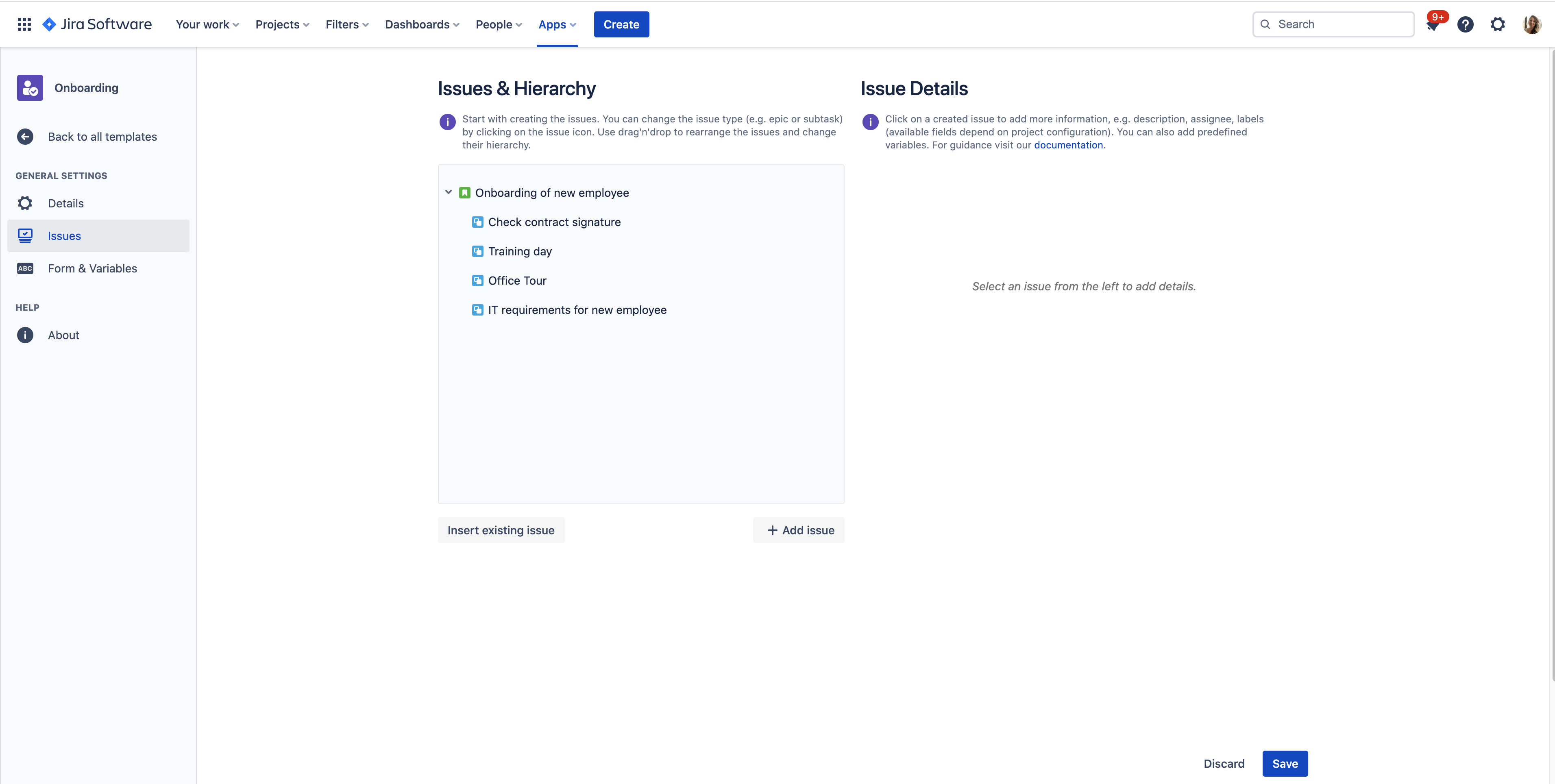
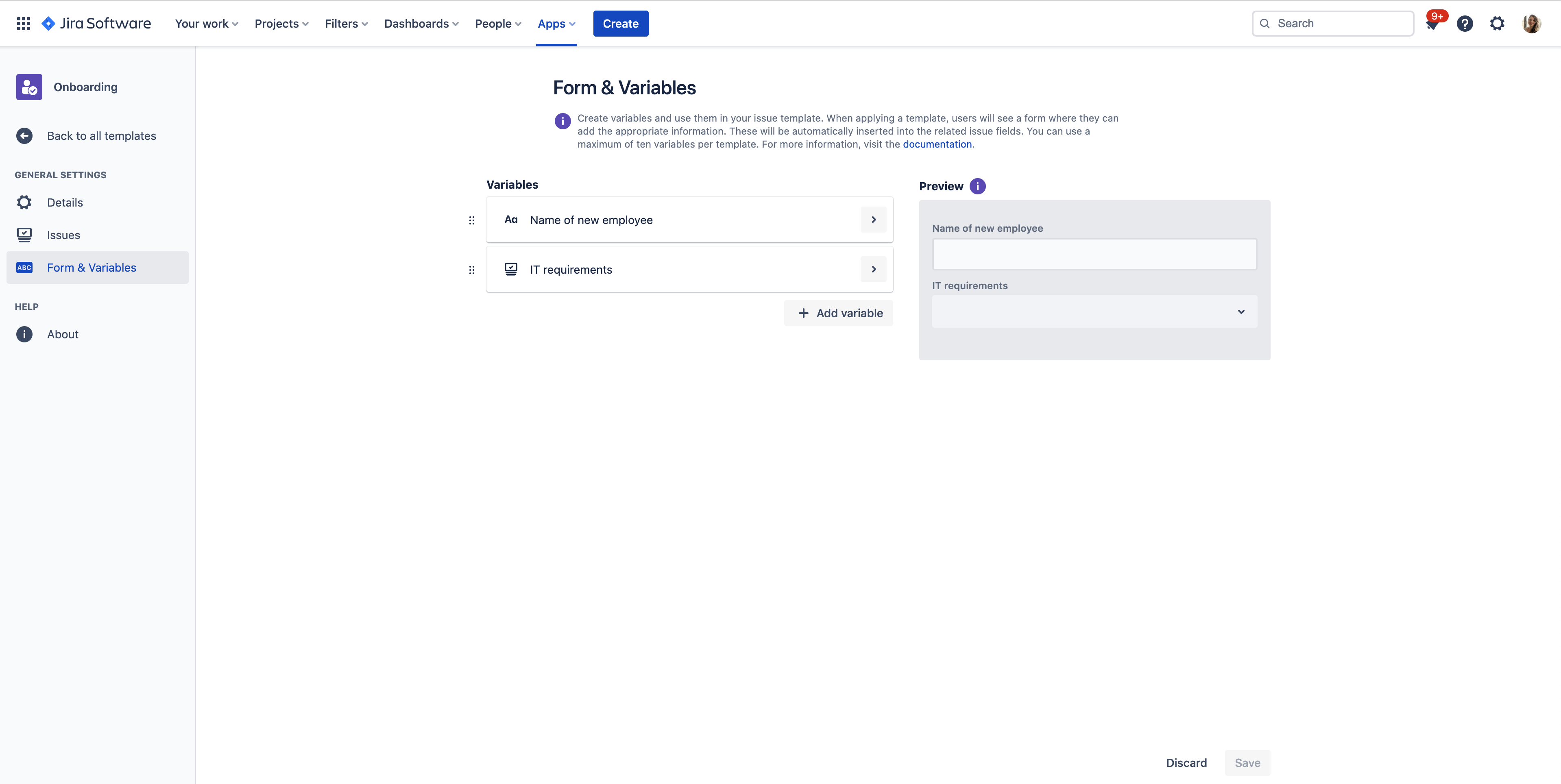
Switch to the Form & Variables screen to add some variables if needed.
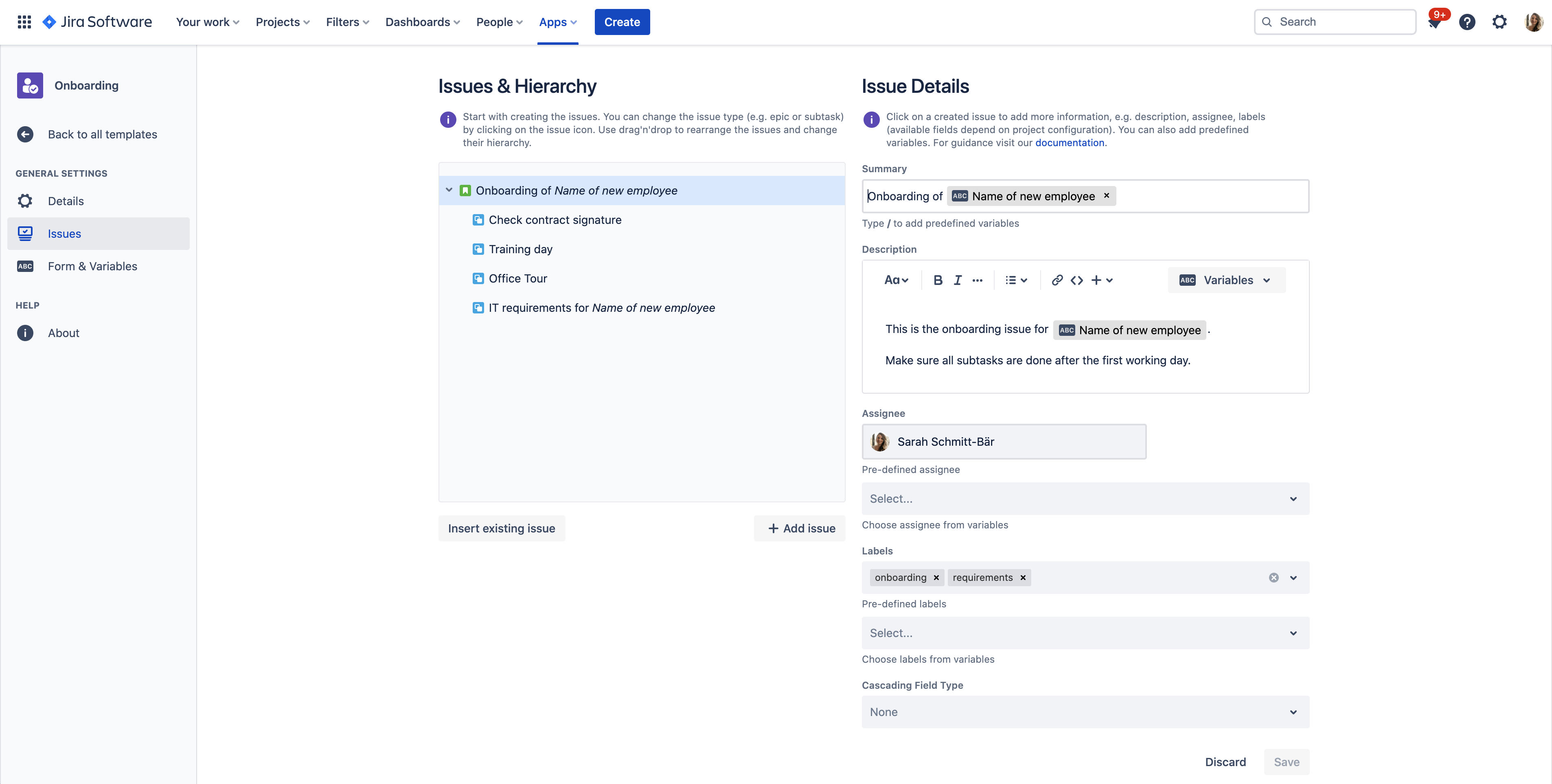
Then insert those variables to the relevant issues and fields.
Save your template and you are ready to go!
You can also import issues to Subtask Templates.
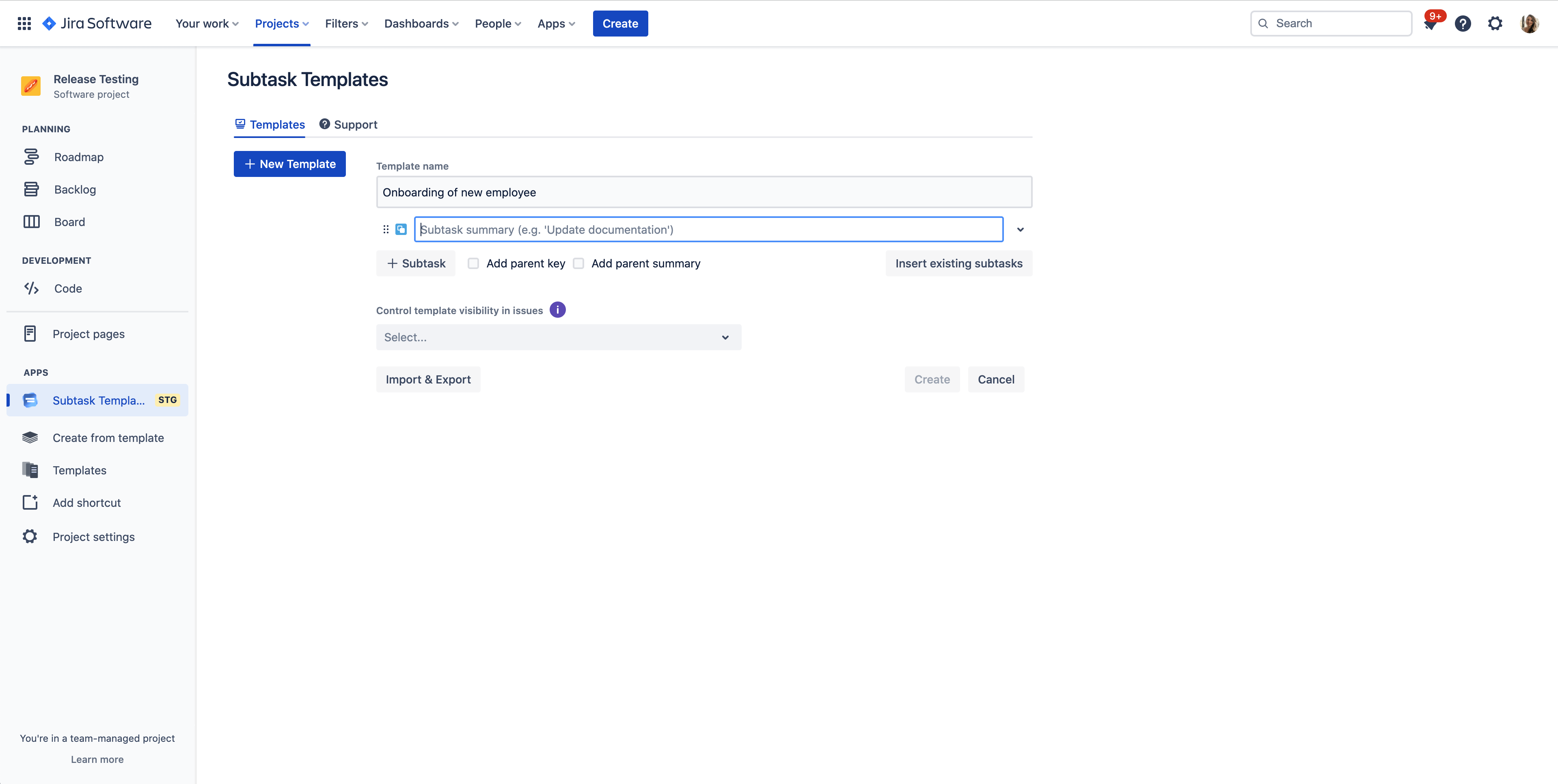
Navigate to a project where you want to create the Subtask Template.
Create a new Template or edit an existing one.
Click on "Insert existing subtasks"
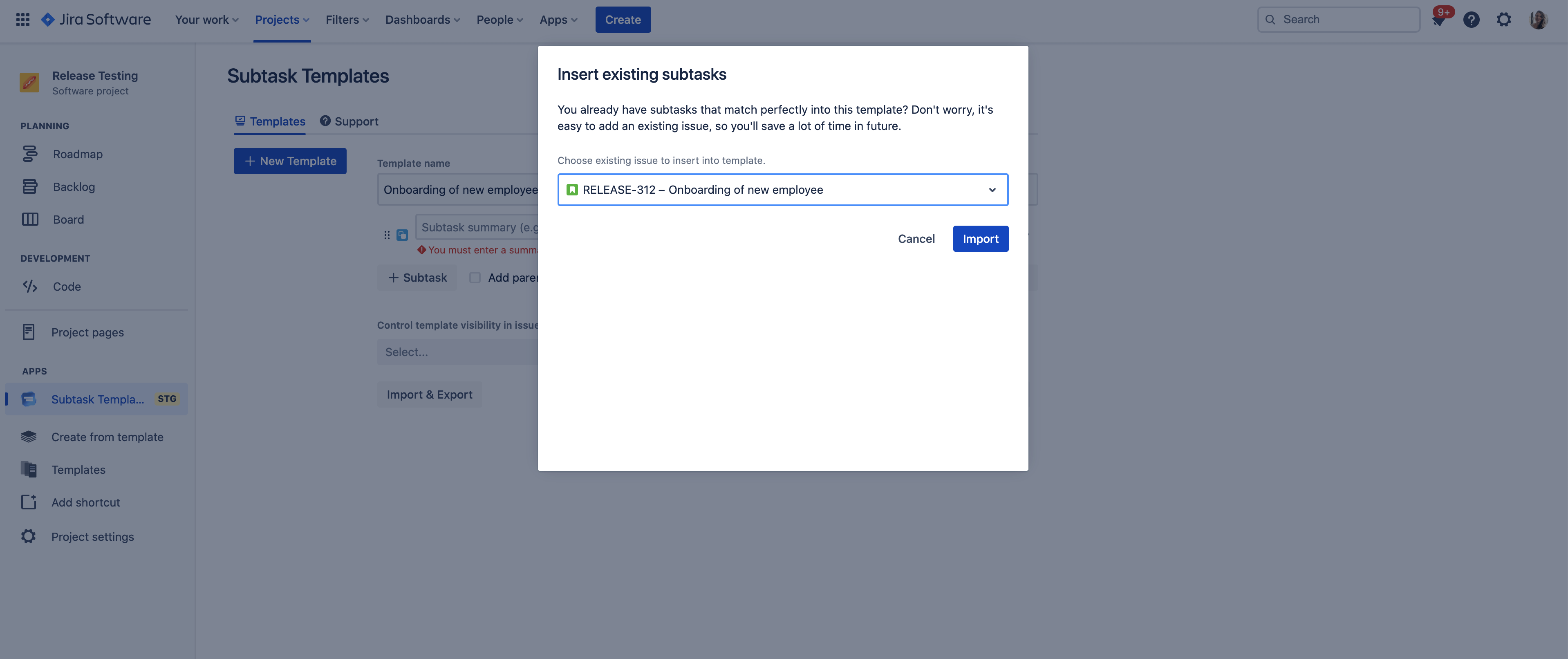
Select the matching issue (or subtask) which you want to insert.
Click "Import" (Summary, Description any many other field inputs will be imported as well).
If you choose an Issue, all children will be imported.
Save and you're ready to go.